Building the software architecture from scratch is one of the most time-consuming parts of developing web-based or custom enterprise applications. Having a ready-made, up-to-date framework at hand turns this challenge into a significant advantage.
If a template that combines a C# library for auto-generating SQL behind your forms, HTML5/Bootstrap for page layout, pure JavaScript for front-end logic, Ajax 2 and JSON for data transfer, and Razor/PageModel for business logic sounds useful to you — this article is worth reading.
SELECT, INSERT, UPDATE, and DELETE SQL DML
statements make up a significant share of any application's codebase. A library that builds
those DML statements automatically —
sdbcsapi
— removes much of that repetition.
C# — Database Query Execution
The code snippet below handles a select operation in C#.
// For executing database query operations
dbQuery = p.executeTable.tableAction(p.action, p.formData, p.prepareQuery);

if (dbQuery)
    // If query is true get table data from api
    p.tableData = (string[][])p.executeTable.selectData(p.dataType);
else
    errorString = p.executeTable.getErrorString();
Razor — HTML Form Design
In Razor, a data-entry form can be structured as follows.
@(new HtmlString(Model.menuString))

<div class="container-fluid">
    <div class="row">
        @(new HtmlString(Model.leftSideStr))
        <div class="col-md-11 col-xl-10">
            <a href="#newForm" class="btn btn-outline-dark" data-toggle="collapse">
                New @Model.pageTitle
            </a>
            <form id="newForm" class="form collapse" enctype="multipart/form-data" method="post">
                <datalist id="paths"></datalist>
                <datalist id="types"></datalist>
                <datalist id="codes"></datalist>
                <div class="form-group">
                    <table class="table table-borderless">
                        <tbody>
                            <tr>
                                <td><label for="y_1">@Model.labelNames[1]:</label></td>
                                <td>
                                    <input type="@Model.inputTypes[1]"
                                           class="form-control form-control-sm"
                                           name="@Model.fieldNames[1]" id="y_1"
                                           placeholder="Enter @Model.labelNames[1]" required>
                                </td>
                                <td><label for="y_2">@Model.labelNames[2]:</label></td>
                                <td>
                                    <input type="@Model.inputTypes[2]"
                                           class="form-control form-control-sm"
                                           name="@Model.fieldNames[2]" id="y_2"
                                           placeholder="Enter @Model.labelNames[2]"
                                           list="paths" required>
                                </td>
                            </tr>
                            <tr>
                                <td><label for="y_4">Code:</label></td>
                                <td>
                                    <input type="file" class="form-control form-control-sm"
                                           name="@Model.fileField" id="y_4" required
                                           onchange="fileNameInfo('y_4','y_1')">
                                </td>
                            </tr>
                            <tr>
                                <td>
                                    <button type="button" class="btn btn-outline-info btn-sm"
                                            onclick='sendInsert("@Model.pageName","newForm")'>
                                        Save
                                    </button>
                                </td>
                                <td>
                                    <button type="reset" class="btn btn-outline-secondary btn-sm">
                                        Cancel
                                    </button>
                                </td>
                            </tr>
                        </tbody>
                    </table>
                </div>
            </form>
        </div>
    </div>
Razor — Data Table Section
Every page in the template also includes a sortable, paginated data table.
<div class="row" id="ldTable">
    <div class="col-md-12">
        <h2>@Model.pageTitle List</h2>
        <div class="table-responsive">
            <table class="table table-striped table-bordered table-sm">
                <thead>
                    <tr>
                        <th>#</th>
                        <th onclick="sortById()">@Model.labelNames[0]</th>
                        <th onclick="sortByProp('@Model.fieldNames[1]')">@Model.labelNames[1]</th>
                        <th onclick="sortByProp('@Model.fieldNames[2]')">@Model.labelNames[2]</th>
                        <th onclick="sortByProp('@Model.fieldNames[3]')">@Model.labelNames[3]</th>
                        <th onclick="sortByDate('@Model.fieldNames[5]', true)">@Model.labelNames[5]</th>
                    </tr>
                </thead>
                <tbody id="listTb"></tbody>
            </table>
        </div>
Razor — Pagination & Export Controls
Pagination controls and one-click export buttons for Excel, JSON, CSV and PDF are included.
<div id="pgnId">
<ul class="pagination">
<li>
@{ var lineCount = Model.sessionBean.getLineCount(); }
<input id="p_size" type="text" class="form-control form-control-sm"
value=@lineCount size=3 onchange="setPage()">
</li>
<li>
<button ... id="pageO" onclick="getPage('O')">«</button>
</li>
<li><button ... id="page1" onclick="paging(1)" value="1">1</button></li>
<li><button ... id="page2" onclick="paging(2)" value="2">2</button></li>
<li><button ... id="page3" onclick="paging(3)" value="3">3</button></li>
<li><button ... id="page4" onclick="paging(4)" value="4">4</button></li>
<li><button ... id="page5" onclick="paging(5)" value="5">5</button></li>
<li>
<button ... id="pageS" onclick="getPage('S')">»</button>
</li>
<li><button ... onclick="exportToExcel('@Model.pageTitle'+'List')">Excel</button></li>
<li><button ... onclick="exportToJson('@Model.pageTitle'+'List')">Json</button></li>
<li><button ... onclick="exportToCSV('@Model.pageTitle'+'List')">CSV</button></li>
<li><button ... onclick="exportToPDF('@Model.pageTitle'+'List')">PDF</button></li>
</ul>
</div>
Razor — Debug Alert Structure
The debug alert section should not be overlooked — it shows SQL, error strings and JSON data during development.
<div id="alerts">
    @if ((Model.tableData == null || Model.tableData.Length == 0) && Model.isDebug)
    {
        <div class="alert alert-warning">
            <strong>tableData</strong> is empty!
            <br /><strong>SQL0:</strong> @Model.qsql
            <br /><strong>SQL1:</strong> @Model.qsql2
        </div>
    }
    @if (Model.errorString != null && Model.errorString.Length > 0 && Model.isDebug)
    {
        <div class="alert alert-danger">
            <strong>errorString:</strong> @Model.errorString
        </div>
    }
    @if (Model.jsObjData != null && Model.jsObjData.Length > 0 && Model.isDebug)
    {
        <div class="alert alert-info">
            <strong>jsObjData:</strong> @Model.jsObjData
            <br />tableData[0][0]: @(Model.tableData != null ? Model.tableData[0][0] : "")
            <br />messageString: @(Model.messageString ?? "")
        </div>
    }
</div>
JavaScript — Initialising Variables
JavaScript variables and their initial values are assigned directly inside the Razor page.
<script>
  var jsObjData, dataList, selectLists, fieldNames, selectNames, labelNames,
      inputTypes, readOnlyFM, invisibleFM, requiredFM,
      isModal, isWithRefs, selInpIds, listN4Page, listN4Modal,
      dateF, timeF, pageNo, totRow, lineCount, mCols, isLocale, lastProp;

  document.addEventListener("DOMContentLoaded", function(event) {

    jsObjData  = @(new HtmlString(Model.jsObjData ?? ""));
    dataList   = jsObjData.data;

    selectLists = @(new HtmlString(Model.selectLists ?? "''"));

    fieldNames  = @(new HtmlString(ArrayToString.getStringWithComma(Model.fieldNames)));
    selectNames = @(new HtmlString(ArrayToString.getStringWithComma(Model.selectFields)));
    labelNames  = @(new HtmlString(ArrayToString.getStringWithComma(Model.labelNames)));
    inputTypes  = @(new HtmlString(ArrayToString.getStringWithComma(Model.inputTypes)));
    readOnlyFM  = @(new HtmlString(ArrayToString.getStringWithComma(
                      Model.readOnlyFM.Select(x => x.ToString()).ToArray())));
    invisibleFM = @(new HtmlString(ArrayToString.getStringWithComma(
                      Model.invisibleFM.Select(x => x.ToString()).ToArray())));
    requiredFM  = @(new HtmlString(ArrayToString.getStringWithComma(
                      Model.requiredFM.Select(x => x.ToString()).ToArray())));
    isModal    = @(Model.isModal ? "true" : "false");
    isWithRefs = @(Model.isWithRefs ? "true" : "false");
    isLocale   = @(Model.isLocale ? "true" : "false");
</script>
JavaScript — Table Data Configuration
    excelCols = @(new HtmlString(Model.excelCols));
    lastProp  = "@Model.fieldNames[0]";
    pageNo    = 1;

    selInpIds = {
      newForm:    [{ id:"y_2", name:"adr_path" }, { id:"y_3", name:"code_type" }],
      searchForm: [{ id:"s_3", name:"adr_path" }, { id:"s_4", name:"code_type" }, { id:"s_5", name:"rec_user" }],
      updateForm: [{ id:"g_3", name:"adr_path" }, { id:"g_4", name:"code_type" }]
    };

    listN4Page  = [{ id:"paths", name:"adr_path" }, { id:"types", name:"code_type" }, { id:"codes", name:"rec_user" }];
    listN4Modal = [{ id:"paths", name:"adr_path" }, { id:"types", name:"code_type" }];

    totRow    = @(Model.tableData != null ? Model.tableData.Length : 0);
    dateF     = "@Model.dateFormatter.getStringDF()";
    timeF     = "@Model.dateFormatter.getStringTF()";
    lineCount = @Model.sessionBean.getLineCount();
    mCols     = 2;

    setList(listN4Page, selectLists);
    setPage();
Razor — Modal Form Structure
<div class="modal fade" id="updateModal" role="dialog">
<div class="modal-dialog modal-lg">
<div class="modal-content">
<div class="modal-header">
<h4 class="modal-title">Update @Model.pageTitle</h4>
<button type="button" class="close" data-dismiss="modal">×</button>
</div>
<form id="updateForm" class="form" enctype="multipart/form-data" method="post">
<div class="modal-body">
<table class="table table-borderless">
<tbody id="modalTb"></tbody>
</table>
</div>
<div class="modal-footer">
<button type="button" class="btn btn-outline-info btn-sm"
onclick='sendUpdate("@Model.pageName","updateForm")'>Save</button>
<button type="button" class="btn btn-outline-info btn-sm"
onclick='sendDownload("@Model.pageName","updateForm","g_2",false)'>
Download File
</button>
<button type="button" class="btn btn-outline-danger btn-sm"
onclick='sendDelete("@Model.pageName","updateForm")'>Delete</button>
<button type="button" class="btn btn-secondary btn-sm"
data-dismiss="modal">Close</button>
</div>
</form>
</div>
</div>
</div>
JavaScript — Pagination Functions
Excerpts from the csbca.js pagination logic:
// For setting html table line size and calling getPage function
function setPage() {
    if (window.dataList !== "") {
        window.lineCount = document.getElementById("p_size").value;
        getPage(window.pageNo);
    }
}

// For setting html table page value and calling getPage function
function paging(pageB) {
    let page = document.getElementById("page" + pageB).value;
    logStr("page: " + page);
    getPage(page);
}

// For setting html table page lines
function getPage(page) {
    let i = 0, j = 0, order = 0, elem, c;
    let k = 0, n = 0;
    let tableStr = "";

    if (page == "O") {
        if (window.pageNo > 1) page = window.pageNo - 1;
        else page = 1;

        if (document.getElementById("page1").value > 1) {
            for (i = 1; i <= 5; i++) {
                elem = document.getElementById("page" + i);
                c = elem.value - 1;
                elem.value = c;
                elem.innerHTML = c;
            }
        }
    } else if (page == "S") {
        if (window.pageNo <= ((window.totRow / window.lineCount) - 1) + 2)
            page = (window.pageNo - 1) + 2;

        if (document.getElementById("page5").value <= ((window.totRow / window.lineCount) - 1) + 2) {
            for (i = 1; i <= 5; i++) {
                elem = document.getElementById("page" + i);
                c = (elem.value - 1) + 2;
                elem.value = c;
                elem.innerHTML = c;
            }
        }
    }
    window.pageNo = page;
JavaScript — Building Table Rows
if (k > 0 && window.totRow > 0) {
    order = 1;
    for (i = n; i < k; i++) {
        for (j = 0; j < window.fieldNames.length; j++) {
            if (j == 0) {
                if (window.isModal)
                    tableStr += "<tr><td>" + order + "</td><td onclick=\"getModal("
                                + window.dataList[i][fieldNames[j]] + ")\"";
                else
                    tableStr += "<tr><td>" + order + "</td><td onclick=\"getUpdateForm("
                                + window.dataList[i][fieldNames[j]] + ")\"";
            } else {
                tableStr += "<td";
            }

            if (j == window.invisibleFM[j])
                tableStr += " style=\"display:none;\"";

            tableStr += ">" + window.dataList[i][window.fieldNames[j]] + "</td>";
        }
        tableStr += "</tr>";
        order++;
    }
    document.getElementById("listTb").innerHTML = tableStr;
}
JavaScript — Building Modal Fields
if ((j % mCols) == 0)
    tableStr += "<tr>";

tableStr += "<td><label for=\"g_" + (j+1) + "\">" + window.labelNames[j] + ":</label></td>"
          + "<td><input class=\"form-control form-control-sm\" id=\"g_" + (j+1) + "\"";

if (window.inputTypes[j] == "datetime-local")
    tableStr += " value=\"" + dateTimeFormat(window.dataList[i][window.fieldNames[j]], true)
              + "\" name=\"" + window.fieldNames[j] + "\"";
else if (window.inputTypes[j] == "date")
    tableStr += " value=\"" + dateTimeFormat(window.dataList[i][window.fieldNames[j]], false)
              + "\" name=\"" + window.fieldNames[j] + "\"";
else
    tableStr += " value=\"" + window.dataList[i][window.fieldNames[j]]
              + "\" name=\"" + window.fieldNames[j] + "\"";

if (j == window.readOnlyFM[j])  tableStr += " readonly";
if (j == window.requiredFM[j])  tableStr += " required";
tableStr += " type=\"" + window.inputTypes[j] + "\"";

isList = false;
if (window.listN4Modal) {
    for (h = 0; h < n; h++) {
        if (window.listN4Modal[h].name == window.fieldNames[j]) {
            tableStr += " list=\"" + window.listN4Modal[h].id + "\"></td>"
                      + "<datalist id=\"" + window.listN4Modal[h].id + "\"></datalist>";
            isList = true;
        }
    }
}
if (!isList) tableStr += "></td>";
JavaScript — Inline Update Form (Modal Alternative)
// For getting update form instead of modal
function getUpdateForm(id) {
    let k = window.fieldNames.length;
    let m = window.dataList ? window.dataList.length : 0;

    for (let i = 0; i < m; i++) {
        if (window.dataList[i][window.fieldNames[0]] == id) {
            for (let j = 0; j < k; j++) {
                if (window.inputTypes[j] == "datetime-local")
                    document.getElementById("g_" + (j+1)).value =
                        dateTimeFormat(window.dataList[i][window.fieldNames[j]], true);
                else if (window.inputTypes[j] == "date")
                    document.getElementById("g_" + (j+1)).value =
                        dateTimeFormat(window.dataList[i][window.fieldNames[j]], false);
                else
                    document.getElementById("g_" + (j+1)).value =
                        window.dataList[i][window.fieldNames[j]];
            }
        }
    }
}
JavaScript — Ajax Search & JSON Parsing
// For sending selection form data with ajax
function sendSelect(url, formId) {
    let formElement = document.getElementById(formId);
    let formData    = new FormData(formElement);

    if (window.isWithRefs)
        setSelectData(formData, formId);

    formData.append("action",   "select");
    formData.append("isLocale", window.isLocale);

    logFD(formData);
    sendForm(url, selectResponse, formData);
}

// For setting selection response data
function selectResponse(xhr) {
    if (xhr.responseText) {
        logStr(xhr.responseText);

        window.jsObjData = JSON.parse(xhr.responseText);
        window.dataList  = window.jsObjData.data;
        window.pageNo    = 1;

        logJD(window.jsObjData);

        if (window.dataList)
            window.totRow = window.dataList.length;

        putMessages();
    }
}
JavaScript — File Download
// For sending download form data to url with ajax
function sendDownload(url, formId, fileId, isPage) {
    let formElement = document.getElementById(formId);
    let formData    = new FormData(formElement);
    var fileName    = document.getElementById(fileId).value;

    if (isPage === true) fileName += ".html";

    if (isWithRefs)
        setSelectData(formData, formId);

    formData.append("action",   "download");
    formData.append("isLocale", window.isLocale);

    logFD(formData);

    let xhr = window.XMLHttpRequest
        ? new XMLHttpRequest()
        : new ActiveXObject("Microsoft.XMLHTTP");

    xhr.open("POST", url, true);
    xhr.responseType = "blob";

    xhr.onload = function() {
        if (xhr.readyState == 4 && xhr.status == 200)
            downloadResponse(fileName, xhr.response);
    };
    xhr.send(formData);
}
JavaScript — Excel / JSON / CSV Export
// For exporting to excel file
function exportToExcel(file = "") {
    file = file ? file + ".xlsx" : "excel_list.xlsx";

    var workbook  = new ExcelJS.Workbook();
    var worksheet = workbook.addWorksheet("excel_list");

    worksheet.columns = excelCols;
    worksheet.addRows(dataList);

    workbook.xlsx.writeBuffer().then(function(data) {
        var blob = new Blob([data], {
            type: "application/vnd.openxmlformats-officedocument.spreadsheetml.sheet"
        });
        saveAs(blob, file);
    });
}

// For exporting to json file
function exportToJson(file = "") {
    let jsonList = getJSList();
    file = file ? file + ".json" : "json_list.json";
    let data = "application/json;charset=utf-8," + jsonList;
    exportData(data, file);
}

// For exporting to csv text file
function exportToCSV(file = "") {
    let csvList = getList();
    file = file ? file + ".csv" : "csv_list.csv";
    let data = "text/csv;charset=utf-8," + encodeURIComponent(csvList);
    exportData(data, file);
}
C# — PageModel Initialisation & Authorisation
if (process == null) process = new AdminProcess();

HttpContext.Request.Headers["Content-Type"] = "charset=utf-8";

if (httpContextA == null)
    httpContextA = new HttpContextAccessor();

httpContextA.HttpContext = HttpContext; // Transfer HttpContext to process

initModel();                                // Model initialisation
process.initProcess(httpContextA, p);       // Process initialisation
process.isDebug = p.isDebug;

process.checkSession();                     // Session control
process.checkAuthorized();                  // User authorisation check

procData = process.doPost();                // Execute page process / dispatch actions to API
C# — HttpContext Initialisation
public void initProcess(IHttpContextAccessor httpContextA, BaseParameters p)
{
    initContext(httpContextA);
    initParameters(p);
}

// For initializing HttpContext, Request, Response and Session
public void initContext(IHttpContextAccessor httpContextA)
{
    this.httpContextA = httpContextA;
    request  = httpContextA.HttpContext.Request;
    response = httpContextA.HttpContext.Response;
    session  = httpContextA.HttpContext.Session;
}
C# — Search Action & JSON Response
if (p.action.Equals("select"))
{
    formSize = p.selectFields.Length;
    p.formData = new string[formSize];
    p.dateFormatter.setIsForm(true);
    p.dateFormatter.setTimeFormat(BaseParameters.NO);

    for (int i = 0; i < formSize; i++)
        p.formData[i] = request.Form[p.selectFields[i]].ToString();

    dbQuery = p.execTableWR.tableAction(p.action, p.formData, p.prepQueryWR);

    if (dbQuery)
        p.tableData = (string[][])p.execTableWR.selectData(p.dataType);
    else
        p.tableData = null;

    if (p.tableData != null)
    {
        p.jsonConverter = new JsonConverter(p.fieldNames, p.tableData, p.execTableWR);
        jsonData  = p.jsonConverter.convert2Json();
        tableData = p.tableData;
    }
    messages = p.execTableWR.getMessages();

    return jsonData;
}
C# — INSERT / UPDATE / DELETE & JSON Response
formSize = p.fieldNames.Length;
p.formData = new string[formSize];
p.dateFormatter.setIsForm(true);

if (isInsert) { p.formData[0] = "0"; n = 1; }

for (int i = n; i < formSize - 2; i++)
    p.formData[i] = request.Form[p.fieldNames[i]].ToString();

p.formData[formSize - 2] = p.sessionBean.getCode();
p.formData[formSize - 1] = now.ToString(dateTF);

dbQuery = p.execTableWR.tableActionWR(p.action, p.formData, p.prepQueryWR);

if (dbQuery)
{
    if (!isInsert) p.logBean.setLog(p, formSize);

    p.tableData = new string[1][];

    if (isInsert)
    {
        int k = 0;
        p.unqFieldData = new string[p.unqFields.Length];

        for (int i = 0; i < formSize; i++)
            if (i == p.unqMatchs[i]) { p.unqFieldData[k] = p.formData[i]; k++; }

        p.tableData[0] = p.execTableWR.getNewRecord(
            p.unqFields, p.unqFieldData, p.unqFieldTypes, p.prepQueryWR);
        p.formData[0] = p.tableData[0][0];
        p.logBean.setLog(p, formSize);
    }
    else
    {
        p.tableData[0] = p.formData;
        if (p.tableData[0] != null && p.tableData[0][5] != null)
            p.tableData[0][5] = p.dateFormatter.changeDateFormat(p.tableData[0][5]);
    }
    tableData = p.tableData;
}
else
{
    p.tableData   = null;
    messageString = "p.tableData is null!";
    errorString   = p.execTableWR.getErrorString();
    Console.WriteLine(messageString + "\n" + errorString);
}

p.jsonConverter = new JsonConverter(p.fieldNames, p.tableData, p.execTableWR);
jsonData = p.jsonConverter.convert2Json();
return jsonData;
Application Screenshots
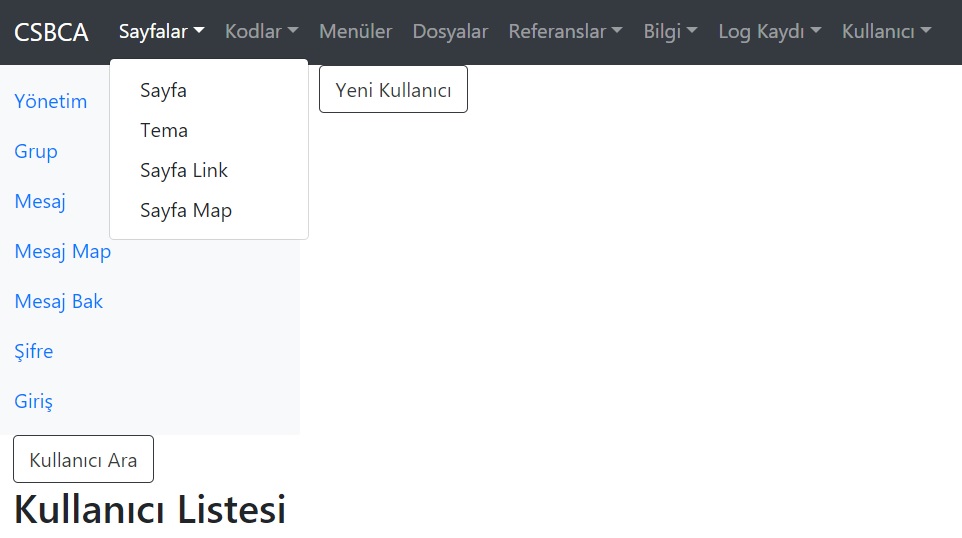

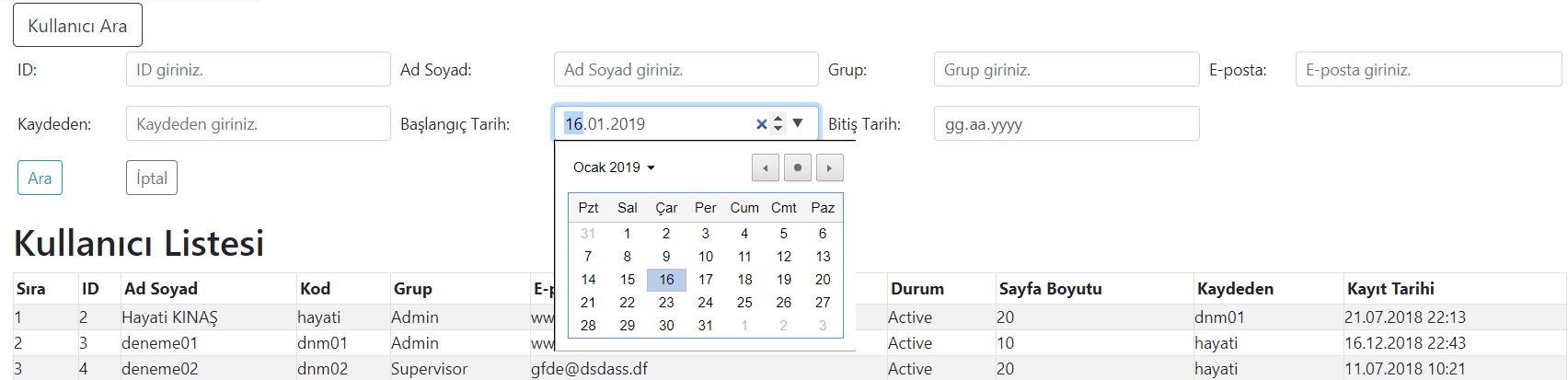
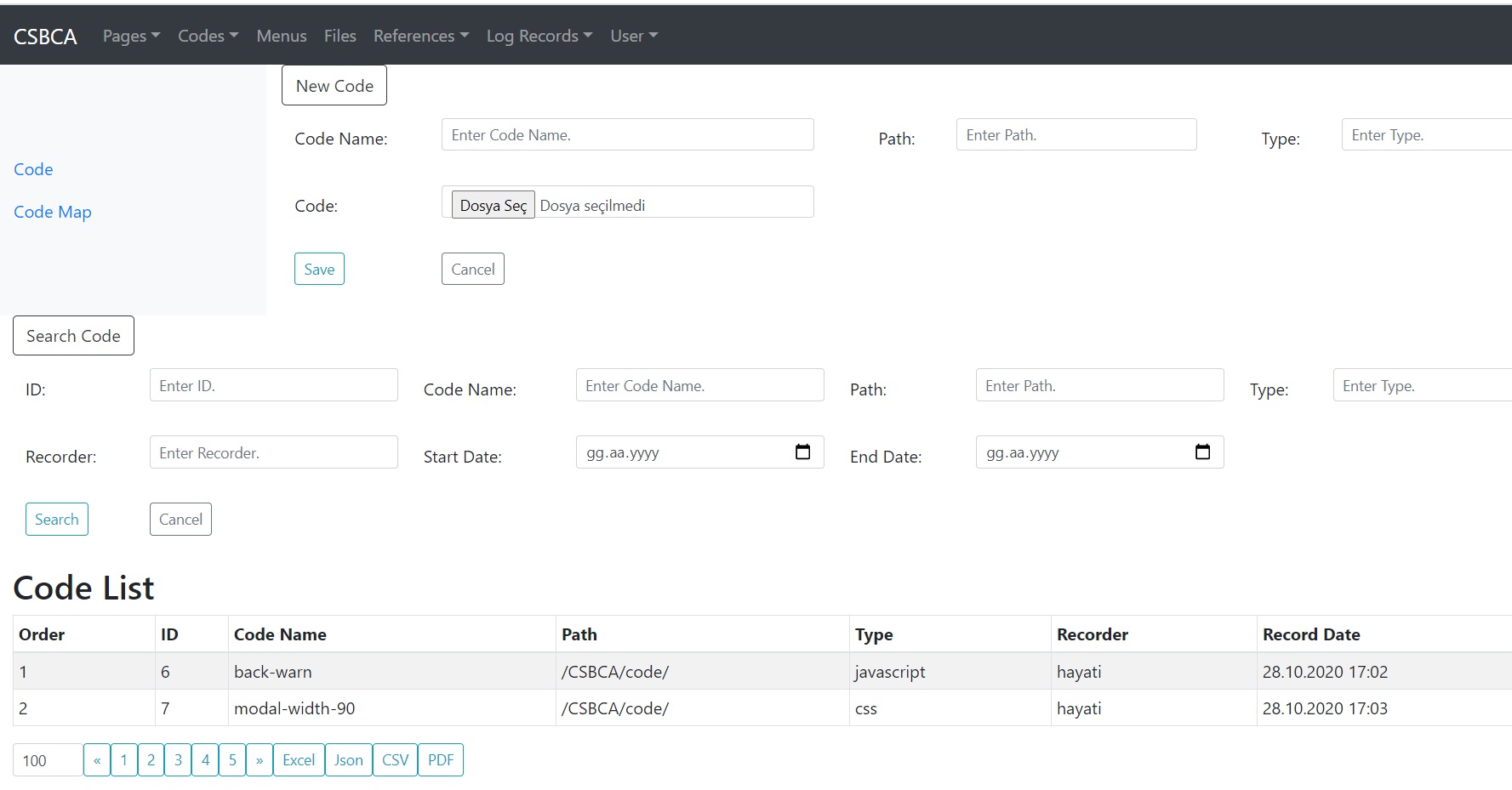
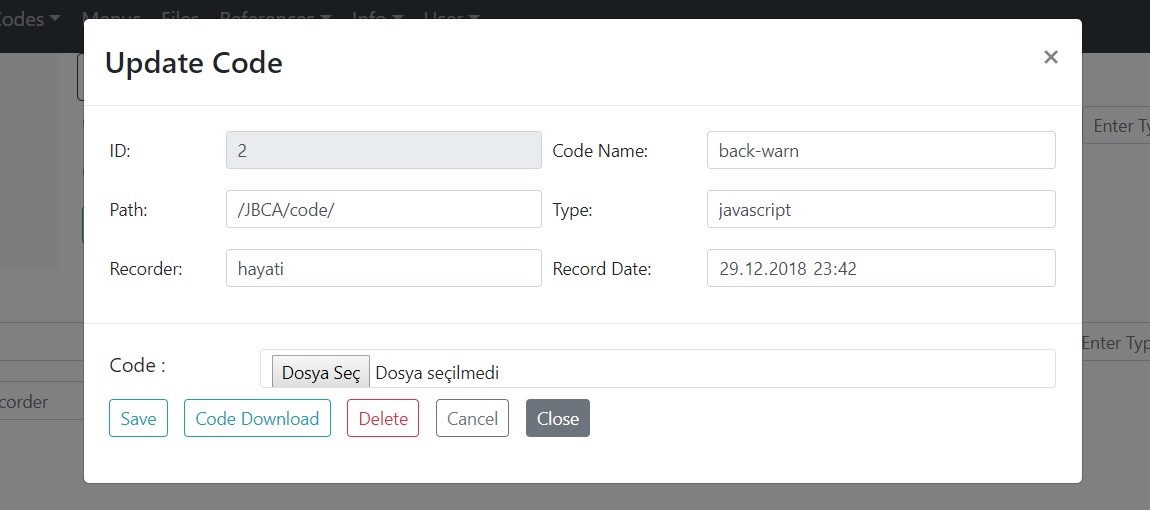
C# — Defining Form Parameters
Before anything else, the parameters for each page form must be defined.
public new void initParams()
{
    base.initParams();
    isDebug     = false;
    tableNames  = new string[] { "csbc_user", "vt_csbc_user" };
    fieldNames  = new string[] { "id","user_name","user_code","user_psw","user_group",
                                  "e_mail","rec_status","page_size","rec_user","rec_date" };
    inputTypes  = new string[] { "number","text","text","password","text",
                                  "email","text","number","text","datetime-local" };
    selectFields = new string[] { "id","user_name","user_group","e_mail","rec_user","rec_date1","rec_date2" };
    selectITs    = new string[] { "number","text","text","email","text","date","date" };
    setLabels();

    colWidths    = new int[] { 10, 30, 10, 10, 10, 30, 10, 10, 10, 15 };  // Excel column widths
    readOnlyFM   = new int[] { 0, -1, -1, -1, -1, -1, -1, -1, 8, 9 };    // Read-only field map
    invisibleFM  = new int[] { -1, -1, -1, 3, -1, -1, -1, -1, -1, -1 };  // Invisible field map
    requiredFM   = new int[] { -1, 1, 2, 3, 4, 5, -1, -1, -1, -1 };      // Required field map
    equalityInt  = new int[] { EQ, LK, EQ, LK, EQ, BGE, SME };
    unqFields    = new string[] { "user_code" };
    unqFieldTypes = new int[] { STRING };
    unqMatchs    = new int[] { -1, -1, 2, -1, -1, -1, -1, -1, -1, -1 };
    fieldTypes   = new int[] { INTEGER, STRING, STRING, STRING, STRING, STRING, STRING, INTEGER, STRING, DATE };
    selectFTs    = new int[] { INTEGER, STRING, STRING, STRING, STRING, DATE, DATE };
    dataType     = STRING;
    setExcelCols();
    orderBy      = "id";

    refTableNames  = new string[] { "csbc_group", "csbc_status", "csbc_user" };
    refFieldNames  = new string[] { "group_name", "status_name", "user_code" };
    refFieldMatchs = new int[] { -1, -1, -1, -1, 4, -1, 6, -1, 8, -1 };

    dateFormatter = new DateFormatter();
    dateFormatter.setTimeFormat(HM);

    prepQueryWR = new PrepQueryWithRef();
    prepQueryWR.convert2EQLs(equalityInt);

    execTableWR = new ExecTableWithRef(runDB, tableNames, fieldNames, fieldTypes, orderBy,
                        selectFields, selectFTs, dateFormatter,
                        refTableNames, refFieldNames, refFieldMatchs, messageBean);

    passwordBean   = new PasswordBean(runDB, tableNames[0], fieldNames[0], fieldNames[3]);
    managePassword = new ManagePassword(defPasw, passwordBean, defMask);
    manageSelList  = new ManageSelList(runDB, refTableNames, refFieldNames);

    execTableWR.isAfterCommit = false;
    execTableWR.isDebug       = isDebug;
    authorized  = new string[] { "Admin" };
    isModal     = true;   // true = modal dialog, false = inline update form
    isWithRefs  = true;   // true = use reference/lookup tables
}