Web tabanlı uygulamalarda ve genel olarak özel yazılımların hazırlanmasında, yazılım mimarisinin oluşturulması zaman alıcı bir süreç olarak karşımıza çıkmaktadır. Hazır ve güncel bir yazılım altyapısına sahip olanlar için ise bu süreç önemli ölçüde kısalır.
Form yapıları için arka planda SQL'leri oluşturan bir C# kütüphanesi, HTML5/Bootstrap ile sayfa tasarımı, saf JavaScript ile ön yüz kodlaması, Ajax 2 ve JSON ile veri transferi, arka planda Razor ve PageModel ile iş mantığı — bunların tamamını barındıran hazır bir şablon sizin için anlamlıysa bu yazıyı okumanızda fayda vardır.
SELECT, INSERT, UPDATE, DELETE SQL DML
komutları kodlamanın önemli bir bölümünü oluşturur. Bu DML kodlarını otomatik olarak hazırlayan
bir kütüphane — sdbcsapi
— işleri oldukça kolaylaştırmaktadır.
C# — Veritabanı Sorgu İşlemi
Bir C# kodundaki select işlemini yapan kod parçası aşağıda görünüyor.
// For executing database query operations
dbQuery = p.executeTable.tableAction(p.action, p.formData, p.prepareQuery);

if (dbQuery)
    // If query is true get table data from api
    p.tableData = (string[][])p.executeTable.selectData(p.dataType);
else
    errorString = p.executeTable.getErrorString();
Razor — HTML Form Tasarımı
Razor kodunda HTML sayfa tasarımında formlarımız aşağıdaki gibi olabilir.
@(new HtmlString(Model.menuString))

<div class="container-fluid">
    <div class="row">
        @(new HtmlString(Model.leftSideStr))
        <div class="col-md-11 col-xl-10">
            <a href="#yeniK" class="btn btn-outline-dark" data-toggle="collapse">
                Yeni @Model.pageTitle
            </a>
            <form id="yeniK" class="form collapse" enctype="multipart/form-data" method="post">
                <datalist id="paths"></datalist>
                <datalist id="types"></datalist>
                <datalist id="codes"></datalist>
                <div class="form-group">
                    <table class="table table-borderless">
                        <tbody>
                            <tr>
                                <td><label for="y_1">@Model.labelNames[1]:</label></td>
                                <td>
                                    <input type="@Model.inputTypes[1]"
                                           class="form-control form-control-sm"
                                           name="@Model.fieldNames[1]" id="y_1"
                                           placeholder="@Model.labelNames[1] giriniz." required>
                                </td>
                                <td><label for="y_2">@Model.labelNames[2]:</label></td>
                                <td>
                                    <input type="@Model.inputTypes[2]"
                                           class="form-control form-control-sm"
                                           name="@Model.fieldNames[2]" id="y_2"
                                           placeholder="@Model.labelNames[2] giriniz."
                                           list="paths" required>
                                </td>
                            </tr>
                            <tr>
                                <td><label for="y_4">Kod:</label></td>
                                <td>
                                    <input type="file" class="form-control form-control-sm"
                                           name="@Model.fileField" id="y_4" required
                                           onchange="fileNameInfo('y_4','y_1')">
                                </td>
                            </tr>
                            <tr>
                                <td>
                                    <button type="button" class="btn btn-outline-info btn-sm"
                                            onclick='sendInsert("@Model.pageName","yeniK")'>
                                        Kaydet
                                    </button>
                                </td>
                                <td>
                                    <button type="reset" class="btn btn-outline-secondary btn-sm">
                                        İptal
                                    </button>
                                </td>
                            </tr>
                        </tbody>
                    </table>
                </div>
            </form>
        </div>
    </div>
Razor — Tablo Bölümü
Sayfamızda tablo bölümü de olacaktır.
<div class="row" id="ldTable">
    <div class="col-md-12">
        <h2>@Model.pageTitle Listesi</h2>
        <div class="table-responsive">
            <table class="table table-striped table-bordered table-sm">
                <thead>
                    <tr>
                        <th>Sıra</th>
                        <th onclick="sortById()">@Model.labelNames[0]</th>
                        <th onclick="sortByProp('@Model.fieldNames[1]')">@Model.labelNames[1]</th>
                        <th onclick="sortByProp('@Model.fieldNames[2]')">@Model.labelNames[2]</th>
                        <th onclick="sortByProp('@Model.fieldNames[3]')">@Model.labelNames[3]</th>
                        <th onclick="sortByDate('@Model.fieldNames[5]', true)">@Model.labelNames[5]</th>
                    </tr>
                </thead>
                <tbody id="listTb"></tbody>
            </table>
        </div>
Razor — Sayfalandırma ve Dışa Aktarım
Sayfalandırma yapısı ve Excel/JSON/CSV/PDF çıktıları için butonlarımız var.
<div id="pgnId">
<ul class="pagination">
<li>
@{ var lineCount = Model.sessionBean.getLineCount(); }
<input id="p_size" type="text" class="form-control form-control-sm"
value=@lineCount size=3 onchange="setPage()">
</li>
<li>
<button type="button" class="btn btn-outline-info btn-sm"
id="pageO" onclick="getPage('O')">«</button>
</li>
<li><button ... id="page1" onclick="paging(1)" value="1">1</button></li>
<li><button ... id="page2" onclick="paging(2)" value="2">2</button></li>
<li><button ... id="page3" onclick="paging(3)" value="3">3</button></li>
<li><button ... id="page4" onclick="paging(4)" value="4">4</button></li>
<li><button ... id="page5" onclick="paging(5)" value="5">5</button></li>
<li>
<button type="button" class="btn btn-outline-info btn-sm"
id="pageS" onclick="getPage('S')">»</button>
</li>
<li><button ... onclick="exportToExcel('@Model.pageTitle'+'List')">Excel</button></li>
<li><button ... onclick="exportToJson('@Model.pageTitle'+'List')">Json</button></li>
<li><button ... onclick="exportToCSV('@Model.pageTitle'+'List')">CSV</button></li>
<li><button ... onclick="exportToPDF('@Model.pageTitle'+'List')">PDF</button></li>
</ul>
</div>
Razor — Debug Alarm Yapısı
Alarmlarla ilgili kısmı atlamamakta fayda var.
<div id="alerts">
    @if ((Model.tableData == null || Model.tableData.Length == 0) && Model.isDebug)
    {
        <div class="alert alert-warning">
            <strong>tableData</strong> is empty!
            <br /><strong>SQL0:</strong> @Model.qsql
            <br /><strong>SQL1:</strong> @Model.qsql2
        </div>
    }
    @if (Model.errorString != null && Model.errorString.Length > 0 && Model.isDebug)
    {
        <div class="alert alert-danger">
            <strong>errorString:</strong> @Model.errorString
        </div>
    }
    @if (Model.jsObjData != null && Model.jsObjData.Length > 0 && Model.isDebug)
    {
        <div class="alert alert-info">
            <strong>jsObjData:</strong> @Model.jsObjData
            <br />tableData[0][0]: @(Model.tableData != null ? Model.tableData[0][0] : "")
            <br />messageString: @(Model.messageString ?? "")
        </div>
    }
</div>
JavaScript — Başlangıç Değişkenleri
JavaScript başlangıç değişkenleri ve değer ataması Razor sayfası üzerinde yapılır.
<script>
  var jsObjData, dataList, selectLists, fieldNames, selectNames, labelNames,
      inputTypes, readOnlyFM, invisibleFM, requiredFM,
      isModal, isWithRefs, selInpIds, listN4Page, listN4Modal,
      dateF, timeF, pageNo, totRow, lineCount, mCols, isLocale, lastProp;

  document.addEventListener("DOMContentLoaded", function(event) {

    jsObjData  = @(new HtmlString(Model.jsObjData ?? ""));
    dataList   = jsObjData.data;

    selectLists = @(new HtmlString(Model.selectLists ?? "''"));

    fieldNames  = @(new HtmlString(ArrayToString.getStringWithComma(Model.fieldNames)));
    selectNames = @(new HtmlString(ArrayToString.getStringWithComma(Model.selectFields)));
    labelNames  = @(new HtmlString(ArrayToString.getStringWithComma(Model.labelNames)));
    inputTypes  = @(new HtmlString(ArrayToString.getStringWithComma(Model.inputTypes)));
    readOnlyFM  = @(new HtmlString(ArrayToString.getStringWithComma(
                      Model.readOnlyFM.Select(x => x.ToString()).ToArray())));
    invisibleFM = @(new HtmlString(ArrayToString.getStringWithComma(
                      Model.invisibleFM.Select(x => x.ToString()).ToArray())));
    requiredFM  = @(new HtmlString(ArrayToString.getStringWithComma(
                      Model.requiredFM.Select(x => x.ToString()).ToArray())));
    isModal     = @(Model.isModal ? "true" : "false");
    isWithRefs  = @(Model.isWithRefs ? "true" : "false");
    isLocale    = @(Model.isLocale ? "true" : "false");
</script>
JavaScript — Tablo Veri Ayarları
    excelCols = @(new HtmlString(Model.excelCols));
    lastProp  = "@Model.fieldNames[0]";
    pageNo    = 1;

    selInpIds = {
      yeniK:     [{ id:"y_2", name:"adr_path" }, { id:"y_3", name:"code_type" }],
      araK:      [{ id:"s_3", name:"adr_path" }, { id:"s_4", name:"code_type" }, { id:"s_5", name:"rec_user" }],
      guncelleK: [{ id:"g_3", name:"adr_path" }, { id:"g_4", name:"code_type" }]
    };

    listN4Page  = [{ id:"paths", name:"adr_path" }, { id:"types", name:"code_type" }, { id:"codes", name:"rec_user" }];
    listN4Modal = [{ id:"paths", name:"adr_path" }, { id:"types", name:"code_type" }];

    totRow    = @(Model.tableData != null ? Model.tableData.Length : 0);
    dateF     = "@Model.dateFormatter.getStringDF()";
    timeF     = "@Model.dateFormatter.getStringTF()";
    lineCount = @Model.sessionBean.getLineCount();
    mCols     = 2;

    setList(listN4Page, selectLists);
    setPage();
Razor — Modal Form Yapısı
<div class="modal fade" id="guncM" role="dialog">
<div class="modal-dialog modal-lg">
<div class="modal-content">
<div class="modal-header">
<h4 class="modal-title">@Model.pageTitle Güncelle</h4>
<button type="button" class="close" data-dismiss="modal">×</button>
</div>
<form id="guncelleK" class="form" enctype="multipart/form-data" method="post">
<div class="modal-body">
<table class="table table-borderless">
<tbody id="modalTb"></tbody>
</table>
</div>
<div class="modal-footer">
<button type="button" class="btn btn-outline-info btn-sm"
onclick='sendUpdate("@Model.pageName","guncelleK")'>Kaydet</button>
<button type="button" class="btn btn-outline-info btn-sm"
onclick='sendDownload("@Model.pageName","guncelleK","g_2",false)'>
Dosya İndir
</button>
<button type="button" class="btn btn-outline-danger btn-sm"
onclick='sendDelete("@Model.pageName","guncelleK")'>Sil</button>
<button type="button" class="btn btn-secondary btn-sm"
data-dismiss="modal">Kapat</button>
</div>
</form>
</div>
</div>
</div>
JavaScript — Sayfalandırma Fonksiyonları
csbca.js JavaScript dosyasındaki sayfalandırma fonksiyonları:
// For setting html table line size and calling getPage function
function setPage() {
    if (window.dataList !== "") {
        window.lineCount = document.getElementById("p_size").value;
        getPage(window.pageNo);
    }
}

// For setting html table page value and calling getPage function
function paging(pageB) {
    let page = document.getElementById("page" + pageB).value;
    logStr("page: " + page);
    getPage(page);
}

// For setting html table page lines
function getPage(page) {
    let i = 0, j = 0, order = 0, elem, c;
    let k = 0, n = 0;
    let tableStr = "";

    if (page == "O") {
        if (window.pageNo > 1) page = window.pageNo - 1;
        else page = 1;

        if (document.getElementById("page1").value > 1) {
            for (i = 1; i <= 5; i++) {
                elem = document.getElementById("page" + i);
                c = elem.value - 1;
                elem.value = c;
                elem.innerHTML = c;
            }
        }
    } else if (page == "S") {
        if (window.pageNo <= ((window.totRow / window.lineCount) - 1) + 2)
            page = (window.pageNo - 1) + 2;

        if (document.getElementById("page5").value <= ((window.totRow / window.lineCount) - 1) + 2) {
            for (i = 1; i <= 5; i++) {
                elem = document.getElementById("page" + i);
                c = (elem.value - 1) + 2;
                elem.value = c;
                elem.innerHTML = c;
            }
        }
    }
    window.pageNo = page;
JavaScript — HTML Tablo Satırları
if (k > 0 && window.totRow > 0) {
    order = 1;
    for (i = n; i < k; i++) {
        for (j = 0; j < window.fieldNames.length; j++) {
            if (j == 0) {
                if (window.isModal)
                    tableStr += "<tr><td>" + order + "</td><td onclick=\"getModal("
                                + window.dataList[i][fieldNames[j]] + ")\"";
                else
                    tableStr += "<tr><td>" + order + "</td><td onclick=\"getUpdateForm("
                                + window.dataList[i][fieldNames[j]] + ")\"";
            } else {
                tableStr += "<td";
            }

            if (j == window.invisibleFM[j])
                tableStr += " style=\"display:none;\"";

            tableStr += ">" + window.dataList[i][window.fieldNames[j]] + "</td>";
        }
        tableStr += "</tr>";
        order++;
    }
    document.getElementById("listTb").innerHTML = tableStr;
}
JavaScript — Modal Form İnşası
if ((j % mCols) == 0)
    tableStr += "<tr>";

tableStr += "<td><label for=\"g_" + (j+1) + "\">" + window.labelNames[j] + ":</label></td>"
          + "<td><input class=\"form-control form-control-sm\" id=\"g_" + (j+1) + "\"";

if (window.inputTypes[j] == "datetime-local")
    tableStr += " value=\"" + dateTimeFormat(window.dataList[i][window.fieldNames[j]], true)
              + "\" name=\"" + window.fieldNames[j] + "\"";
else if (window.inputTypes[j] == "date")
    tableStr += " value=\"" + dateTimeFormat(window.dataList[i][window.fieldNames[j]], false)
              + "\" name=\"" + window.fieldNames[j] + "\"";
else
    tableStr += " value=\"" + window.dataList[i][window.fieldNames[j]]
              + "\" name=\"" + window.fieldNames[j] + "\"";

if (j == window.readOnlyFM[j])  tableStr += " readonly";
if (j == window.requiredFM[j])  tableStr += " required";

tableStr += " type=\"" + window.inputTypes[j] + "\"";

isList = false;
if (window.listN4Modal) {
    for (h = 0; h < n; h++) {
        if (window.listN4Modal[h].name == window.fieldNames[j]) {
            tableStr += " list=\"" + window.listN4Modal[h].id + "\"></td>"
                      + "<datalist id=\"" + window.listN4Modal[h].id + "\"></datalist>";
            isList = true;
        }
    }
}
if (!isList) tableStr += "></td>";
JavaScript — Modal'a Alternatif Update Formu
// For getting update form instead of modal
function getUpdateForm(id) {
    let k = window.fieldNames.length;
    let m = window.dataList ? window.dataList.length : 0;

    for (let i = 0; i < m; i++) {
        if (window.dataList[i][window.fieldNames[0]] == id) {
            for (let j = 0; j < k; j++) {
                if (window.inputTypes[j] == "datetime-local")
                    document.getElementById("g_" + (j+1)).value =
                        dateTimeFormat(window.dataList[i][window.fieldNames[j]], true);
                else if (window.inputTypes[j] == "date")
                    document.getElementById("g_" + (j+1)).value =
                        dateTimeFormat(window.dataList[i][window.fieldNames[j]], false);
                else
                    document.getElementById("g_" + (j+1)).value =
                        window.dataList[i][window.fieldNames[j]];
            }
        }
    }
}
JavaScript — Ajax Arama ve JSON Parse
// For sending selection form data with ajax
function sendSelect(url, formId) {
    let formElement = document.getElementById(formId);
    let formData    = new FormData(formElement);

    if (window.isWithRefs)
        setSelectData(formData, formId);

    formData.append("action",   "select");
    formData.append("isLocale", window.isLocale);

    logFD(formData);
    sendForm(url, selectResponse, formData);
}

// For setting selection response data
function selectResponse(xhr) {
    if (xhr.responseText) {
        logStr(xhr.responseText);

        window.jsObjData = JSON.parse(xhr.responseText);
        window.dataList  = window.jsObjData.data;
        window.pageNo    = 1;

        logJD(window.jsObjData);

        if (window.dataList)
            window.totRow = window.dataList.length;

        putMessages();
    }
}
JavaScript — Dosya İndirme
// For sending download form data to url with ajax
function sendDownload(url, formId, fileId, isPage) {
    let formElement = document.getElementById(formId);
    let formData    = new FormData(formElement);
    var fileName    = document.getElementById(fileId).value;

    if (isPage === true) fileName += ".html";

    if (isWithRefs)
        setSelectData(formData, formId);

    formData.append("action",   "download");
    formData.append("isLocale", window.isLocale);

    logFD(formData);

    let xhr = window.XMLHttpRequest
        ? new XMLHttpRequest()
        : new ActiveXObject("Microsoft.XMLHTTP");

    xhr.open("POST", url, true);
    xhr.responseType = "blob";

    xhr.onload = function() {
        if (xhr.readyState == 4 && xhr.status == 200) {
            downloadResponse(fileName, xhr.response);
        }
    };
    xhr.send(formData);
}
JavaScript — Excel / JSON / CSV Dışa Aktarım
// For exporting to excel file
function exportToExcel(file = "") {
    file = file ? file + ".xlsx" : "excel_list.xlsx";

    var workbook  = new ExcelJS.Workbook();
    var worksheet = workbook.addWorksheet("excel_list");

    worksheet.columns = excelCols;
    worksheet.addRows(dataList);

    workbook.xlsx.writeBuffer().then(function(data) {
        var blob = new Blob([data], {
            type: "application/vnd.openxmlformats-officedocument.spreadsheetml.sheet"
        });
        saveAs(blob, file);
    });
}

// For exporting to json file
function exportToJson(file = "") {
    let jsonList = getJSList();
    file = file ? file + ".json" : "json_list.json";
    let data = "application/json;charset=utf-8," + jsonList;
    exportData(data, file);
}

// For exporting to csv text file
function exportToCSV(file = "") {
    let csvList = getList();
    file = file ? file + ".csv" : "csv_list.csv";
    let data = "text/csv;charset=utf-8," + encodeURIComponent(csvList);
    exportData(data, file);
}
C# — PageModel Başlatma ve Yetki Kontrolü
if (process == null) process = new AdminProcess();

HttpContext.Request.Headers["Content-Type"] = "charset=utf-8";

if (httpContextA == null)
    httpContextA = new HttpContextAccessor();

httpContextA.HttpContext = HttpContext; // For transferring HttpContext to process

initModel();                                // Model initialization
process.initProcess(httpContextA, p);       // Process initialization
process.isDebug = p.isDebug;

process.checkSession();                     // Session control
process.checkAuthorized();                  // User authorization control

procData = process.doPost();                // Call page process / send actions to API
C# — HttpContext Başlatma
public void initProcess(IHttpContextAccessor httpContextA, BaseParameters p)
{
    initContext(httpContextA);
    initParameters(p);
}

// For initializing HttpContext, Request, Response and Session
public void initContext(IHttpContextAccessor httpContextA)
{
    this.httpContextA = httpContextA;
    request  = httpContextA.HttpContext.Request;
    response = httpContextA.HttpContext.Response;
    session  = httpContextA.HttpContext.Session;
}
C# — Arama İşlemi ve JSON Yanıtı
if (p.action.Equals("select"))
{
    formSize = p.selectFields.Length;
    p.formData = new string[formSize];
    p.dateFormatter.setIsForm(true);
    p.dateFormatter.setTimeFormat(BaseParameters.NO);

    for (int i = 0; i < formSize; i++)
        p.formData[i] = request.Form[p.selectFields[i]].ToString();

    dbQuery = p.execTableWR.tableAction(p.action, p.formData, p.prepQueryWR);

    if (dbQuery)
        p.tableData = (string[][])p.execTableWR.selectData(p.dataType);
    else
        p.tableData = null;

    if (p.tableData != null)
    {
        p.jsonConverter = new JsonConverter(p.fieldNames, p.tableData, p.execTableWR);
        jsonData = p.jsonConverter.convert2Json();
        tableData = p.tableData;
    }
    messages = p.execTableWR.getMessages();

    return jsonData;
}
C# — INSERT / UPDATE / DELETE ve JSON Yanıtı
formSize = p.fieldNames.Length;
p.formData = new string[formSize];
p.dateFormatter.setIsForm(true);

if (isInsert) { p.formData[0] = "0"; n = 1; }

for (int i = n; i < formSize - 2; i++)
    p.formData[i] = request.Form[p.fieldNames[i]].ToString();

p.formData[formSize - 2] = p.sessionBean.getCode();
p.formData[formSize - 1] = now.ToString(dateTF);

dbQuery = p.execTableWR.tableActionWR(p.action, p.formData, p.prepQueryWR);

if (dbQuery)
{
    if (!isInsert) p.logBean.setLog(p, formSize);

    p.tableData = new string[1][];

    if (isInsert)
    {
        int k = 0;
        p.unqFieldData = new string[p.unqFields.Length];

        for (int i = 0; i < formSize; i++)
            if (i == p.unqMatchs[i]) { p.unqFieldData[k] = p.formData[i]; k++; }

        p.tableData[0] = p.execTableWR.getNewRecord(
            p.unqFields, p.unqFieldData, p.unqFieldTypes, p.prepQueryWR);
        p.formData[0] = p.tableData[0][0];
        p.logBean.setLog(p, formSize);
    }
    else
    {
        p.tableData[0] = p.formData;
        if (p.tableData[0] != null && p.tableData[0][5] != null)
            p.tableData[0][5] = p.dateFormatter.changeDateFormat(p.tableData[0][5]);
    }
    tableData = p.tableData;
}
else
{
    p.tableData   = null;
    messageString = "p.tableData is null!";
    errorString   = p.execTableWR.getErrorString();
    Console.WriteLine(messageString + "\n" + errorString);
}

p.jsonConverter = new JsonConverter(p.fieldNames, p.tableData, p.execTableWR);
jsonData = p.jsonConverter.convert2Json();
return jsonData;
Uygulama Ekran Görüntüleri
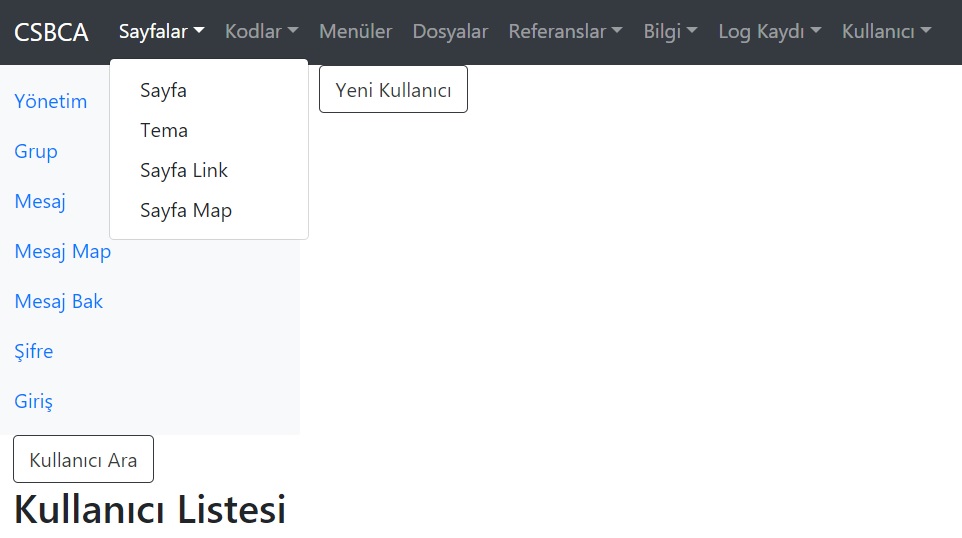

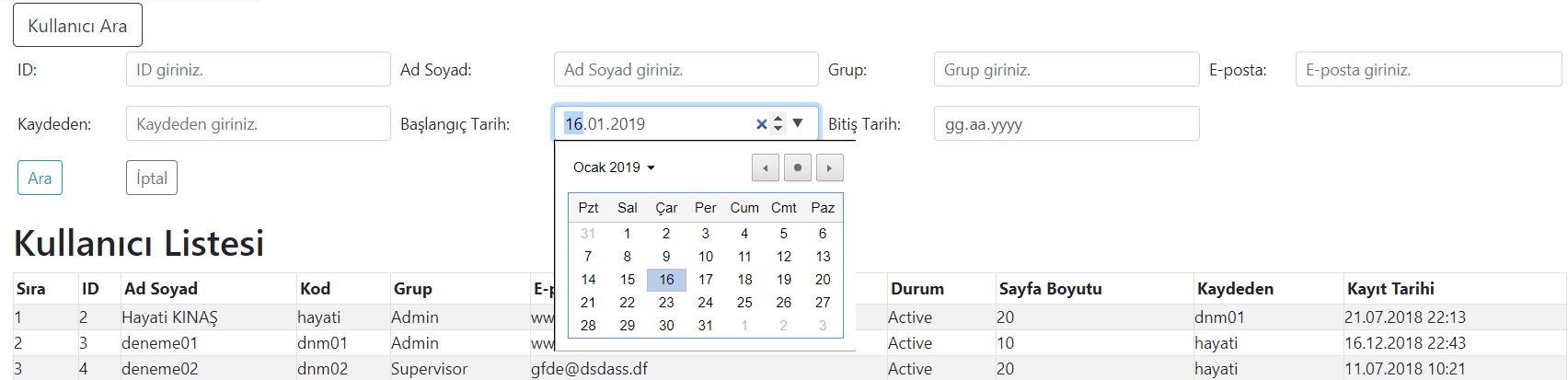
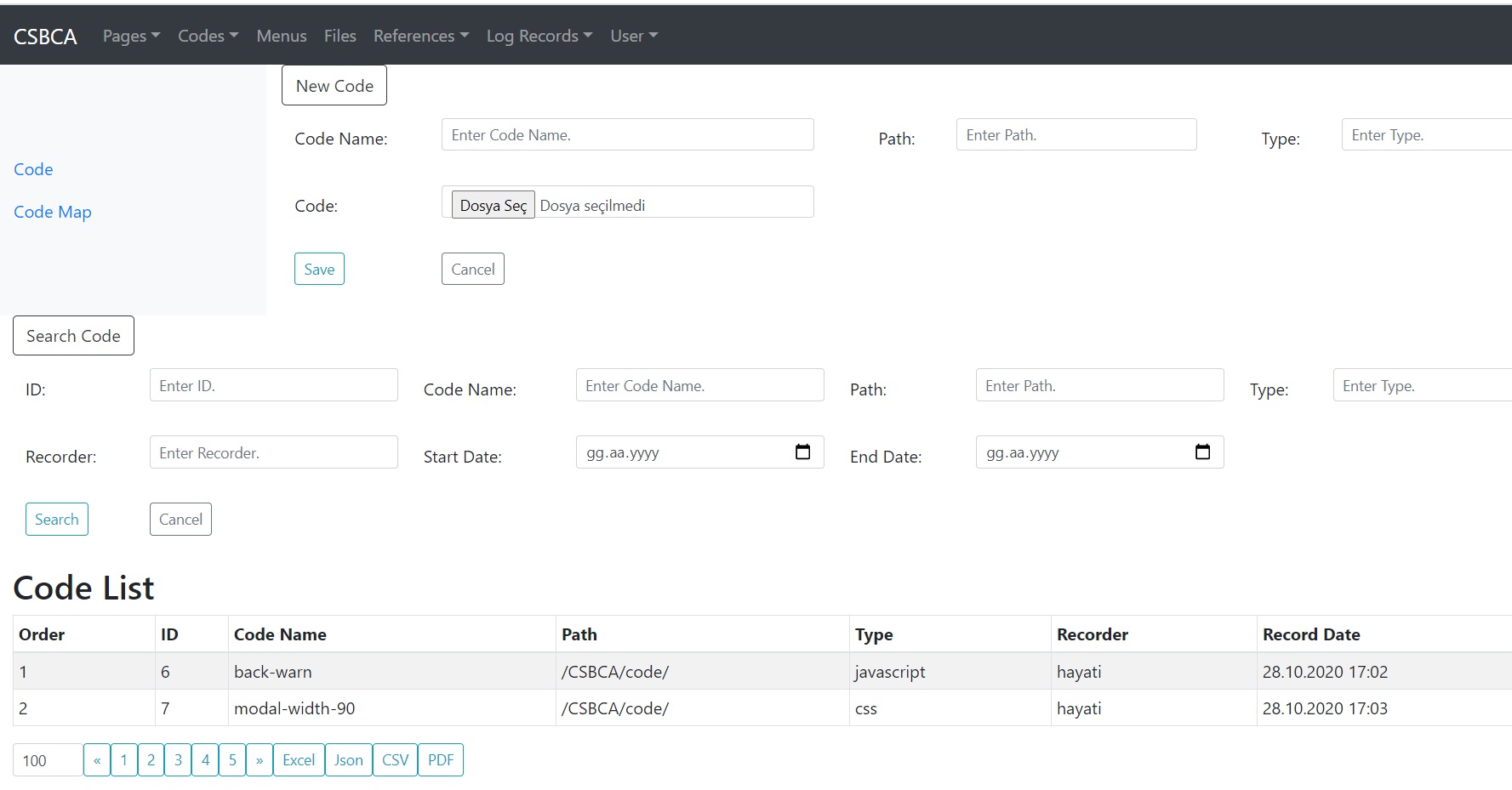
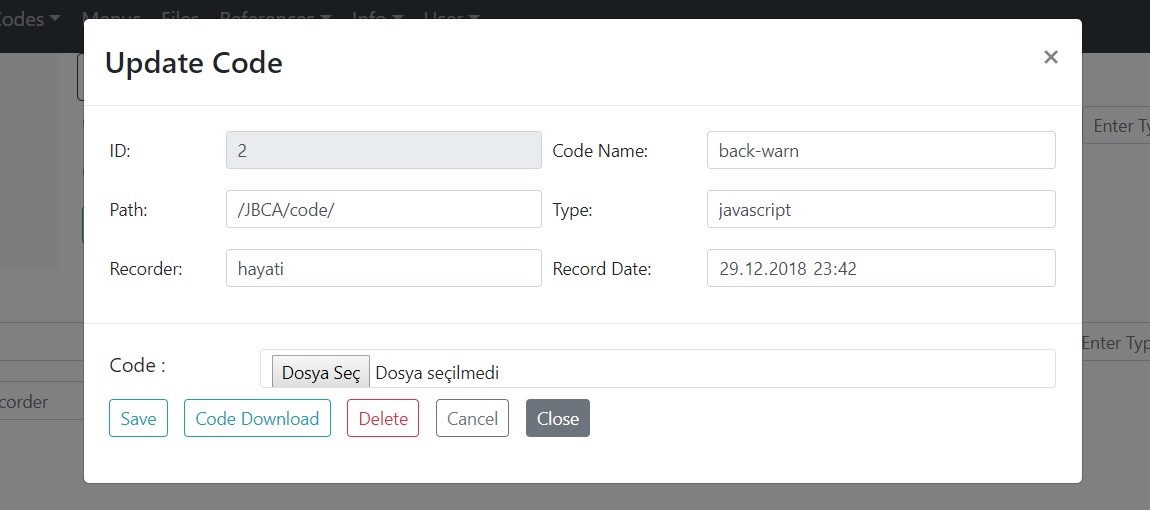
C# — Form Parametrelerinin Belirlenmesi
Hepsinden önce form için parametrelerin belirlenmesi gerekiyor.
public new void initParams()
{
    base.initParams();
    isDebug     = false;
    tableNames  = new string[] { "csbc_user", "vt_csbc_user" };
    fieldNames  = new string[] { "id","user_name","user_code","user_psw","user_group",
                                  "e_mail","rec_status","page_size","rec_user","rec_date" };
    inputTypes  = new string[] { "number","text","text","password","text",
                                  "email","text","number","text","datetime-local" };
    selectFields = new string[] { "id","user_name","user_group","e_mail","rec_user","rec_date1","rec_date2" };
    selectITs    = new string[] { "number","text","text","email","text","date","date" };
    setLabels();

    colWidths    = new int[] { 10, 30, 10, 10, 10, 30, 10, 10, 10, 15 };  // Excel column widths
    readOnlyFM   = new int[] { 0, -1, -1, -1, -1, -1, -1, -1, 8, 9 };    // Read-only field map
    invisibleFM  = new int[] { -1, -1, -1, 3, -1, -1, -1, -1, -1, -1 };  // Invisible field map
    requiredFM   = new int[] { -1, 1, 2, 3, 4, 5, -1, -1, -1, -1 };      // Required field map
    equalityInt  = new int[] { EQ, LK, EQ, LK, EQ, BGE, SME };
    unqFields    = new string[] { "user_code" };
    unqFieldTypes = new int[] { STRING };
    unqMatchs    = new int[] { -1, -1, 2, -1, -1, -1, -1, -1, -1, -1 };
    fieldTypes   = new int[] { INTEGER, STRING, STRING, STRING, STRING, STRING, STRING, INTEGER, STRING, DATE };
    selectFTs    = new int[] { INTEGER, STRING, STRING, STRING, STRING, DATE, DATE };
    dataType     = STRING;
    setExcelCols();
    orderBy      = "id";

    refTableNames  = new string[] { "csbc_group", "csbc_status", "csbc_user" };
    refFieldNames  = new string[] { "group_name", "status_name", "user_code" };
    refFieldMatchs = new int[] { -1, -1, -1, -1, 4, -1, 6, -1, 8, -1 };

    dateFormatter = new DateFormatter();
    dateFormatter.setTimeFormat(HM);

    prepQueryWR = new PrepQueryWithRef();
    prepQueryWR.convert2EQLs(equalityInt);

    execTableWR = new ExecTableWithRef(runDB, tableNames, fieldNames, fieldTypes, orderBy,
                        selectFields, selectFTs, dateFormatter,
                        refTableNames, refFieldNames, refFieldMatchs, messageBean);

    passwordBean   = new PasswordBean(runDB, tableNames[0], fieldNames[0], fieldNames[3]);
    managePassword = new ManagePassword(defPasw, passwordBean, defMask);
    manageSelList  = new ManageSelList(runDB, refTableNames, refFieldNames);

    execTableWR.isAfterCommit = false;
    execTableWR.isDebug       = isDebug;
    authorized  = new string[] { "Admin" };
    isModal     = true;   // Modal or inline update form
    isWithRefs  = true;   // With or without reference tables
}