Introduction
Many different tools and approaches can be used to build a website. Pages authored in HTML, CSS and JavaScript are typically served to users via a server-side language — most commonly PHP, C# (ASP/.NET), or Java (JSP/Servlet, JSF).
Most ready-made web publishing platforms today are built on PHP. If you don't know PHP, or if you'd rather leverage a powerful language like Java, your options narrow quickly. That's where Java Basic Content Adviser (JBCA) comes in: a complete, ready-to-use web infrastructure built on Java, HTML5, JavaScript, Bootstrap and related technologies.
The rest of this article walks through how JBCA can be used to manage website content and serve pages to visitors via JSP/Servlet — step by step.
Page Design
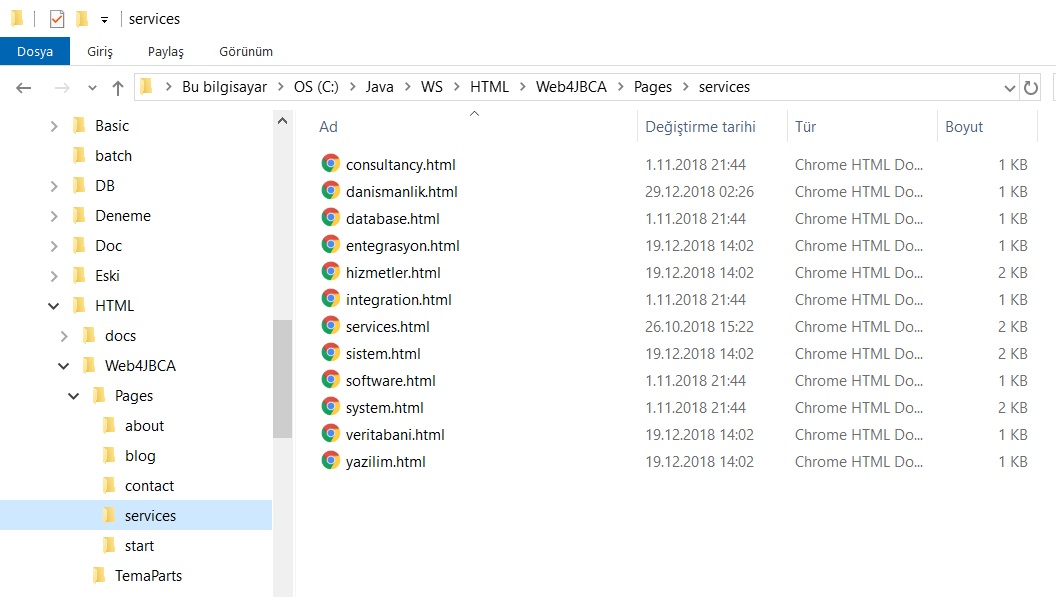
Bootstrap is an excellent choice for building web page layouts. You can design the pages yourself or bring in a graphic designer for professional results. Either way, the output — HTML files, JavaScript, stylesheets and image assets — needs to be ready as files before you begin loading content into JBCA.
Saving Page Content
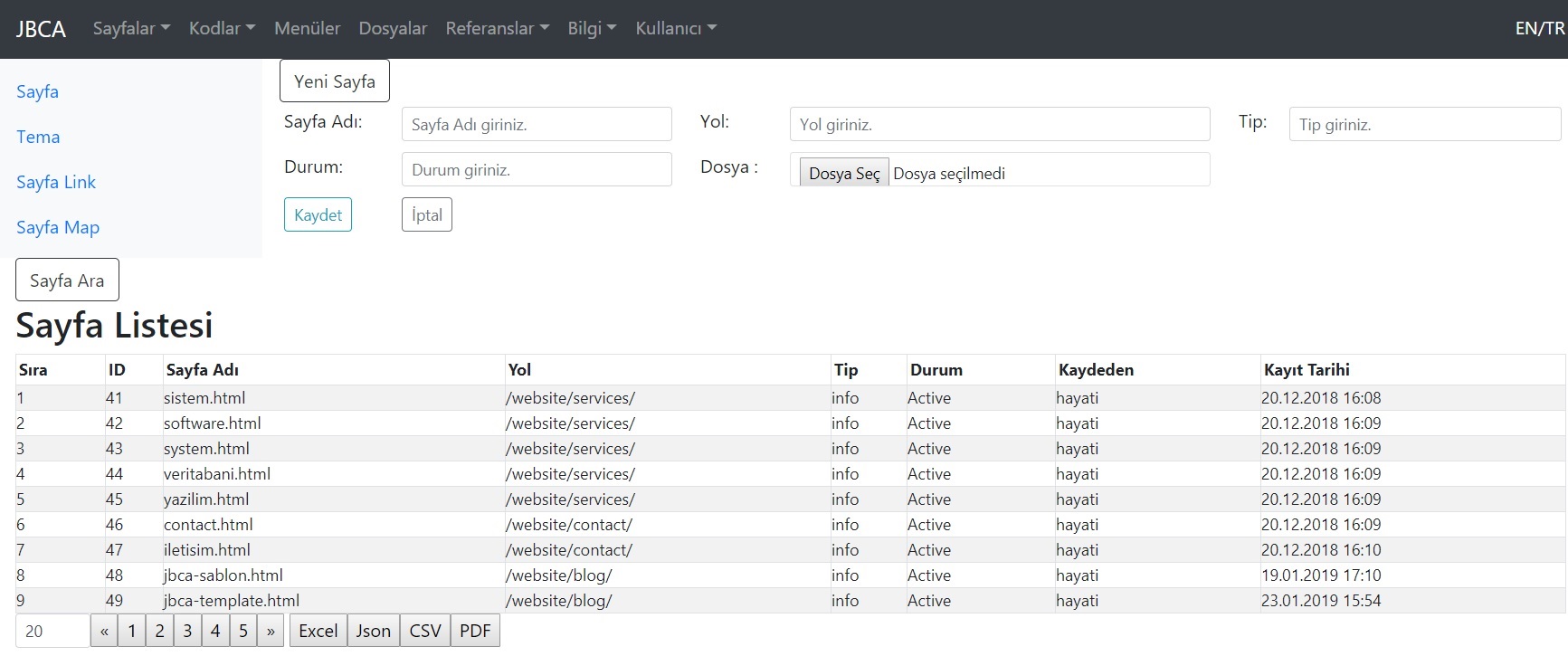
HTML pages are saved to the database through the JBCA page management interface. This centralises content changes and ensures every page is served from a consistent, controlled structure.
Theme Management
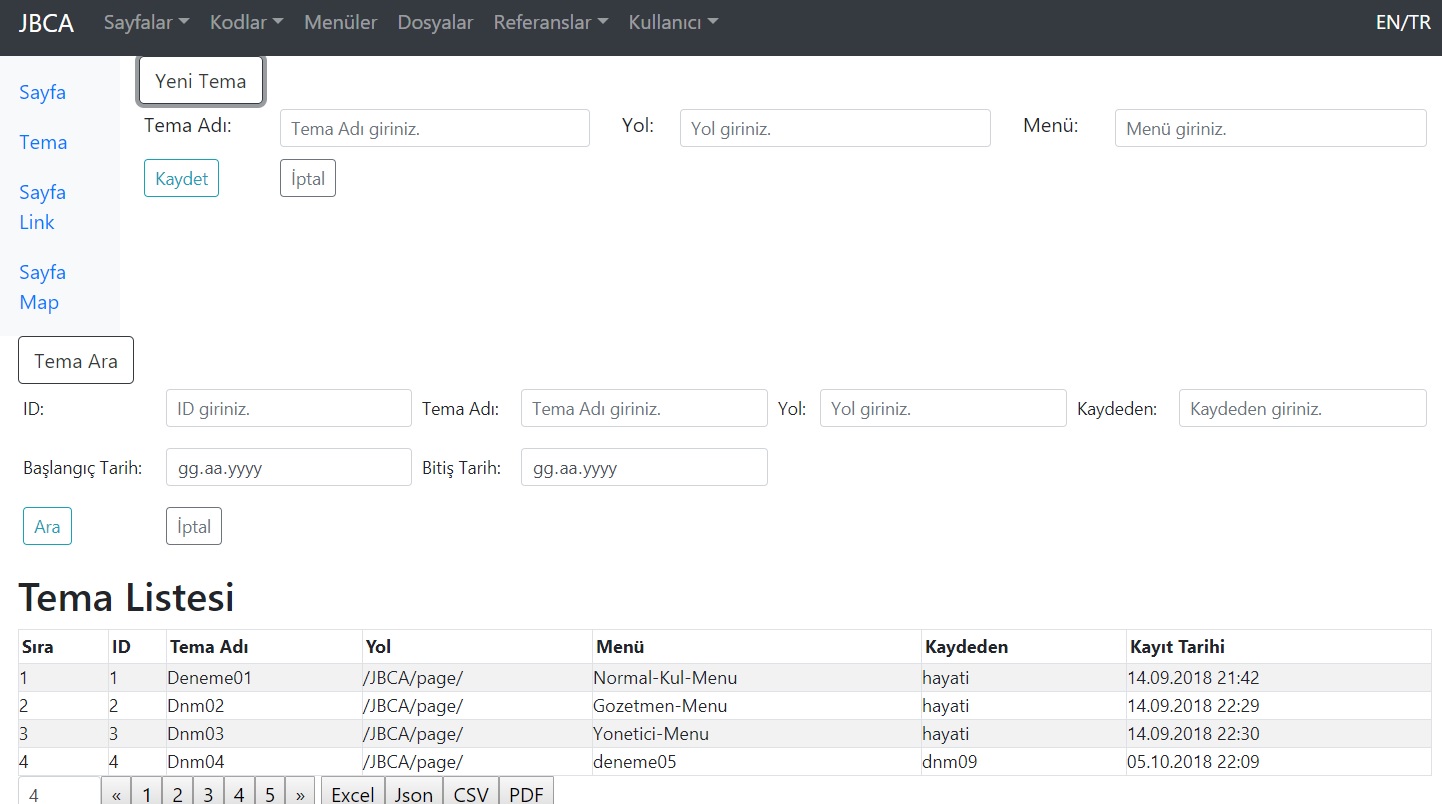
Themes define the central content area of a page together with its header, footer, navigation and sidebar sections. By editing a theme fragment rather than every individual page, sitewide layout changes become a single operation.
Link & Section Management
Creating a link record allows JSP to assemble the page's main content area together with any associated sidebar sections and deliver them all to the visitor in a single response.
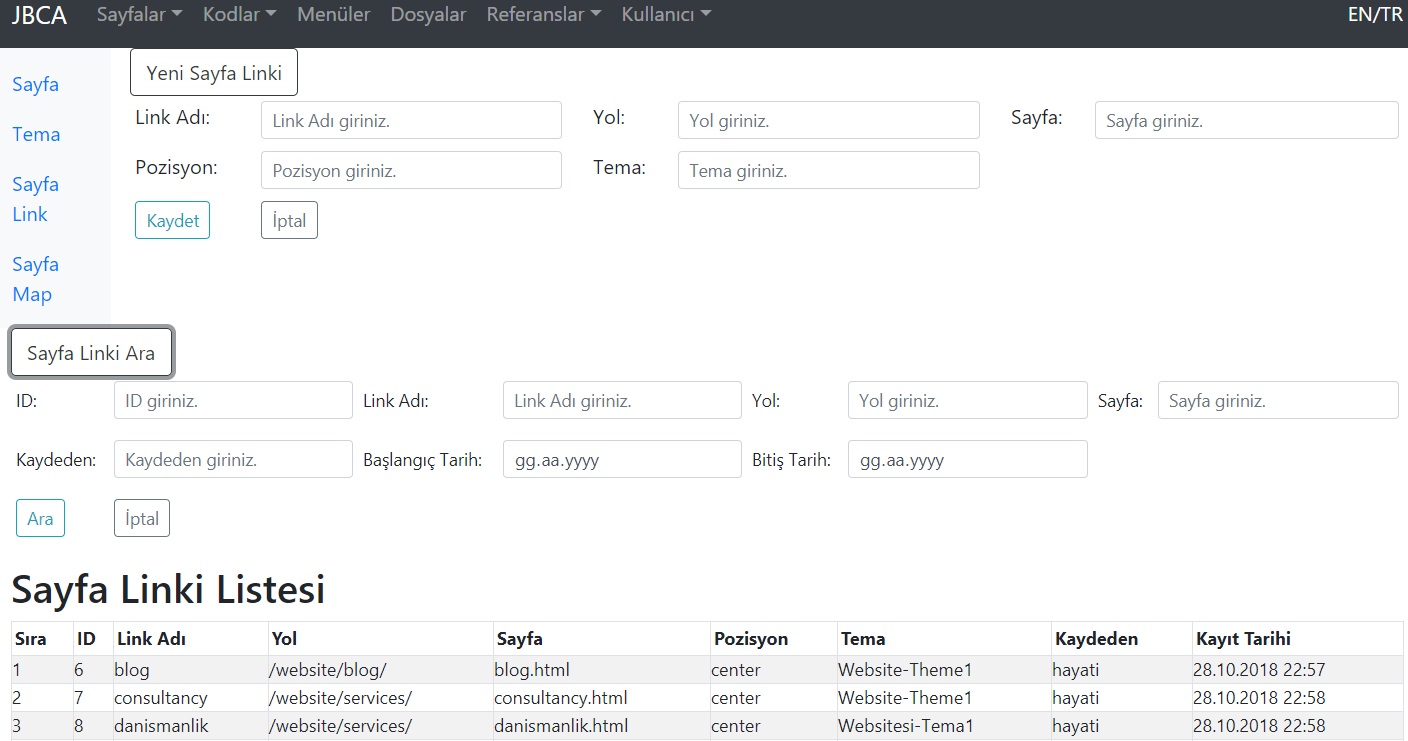
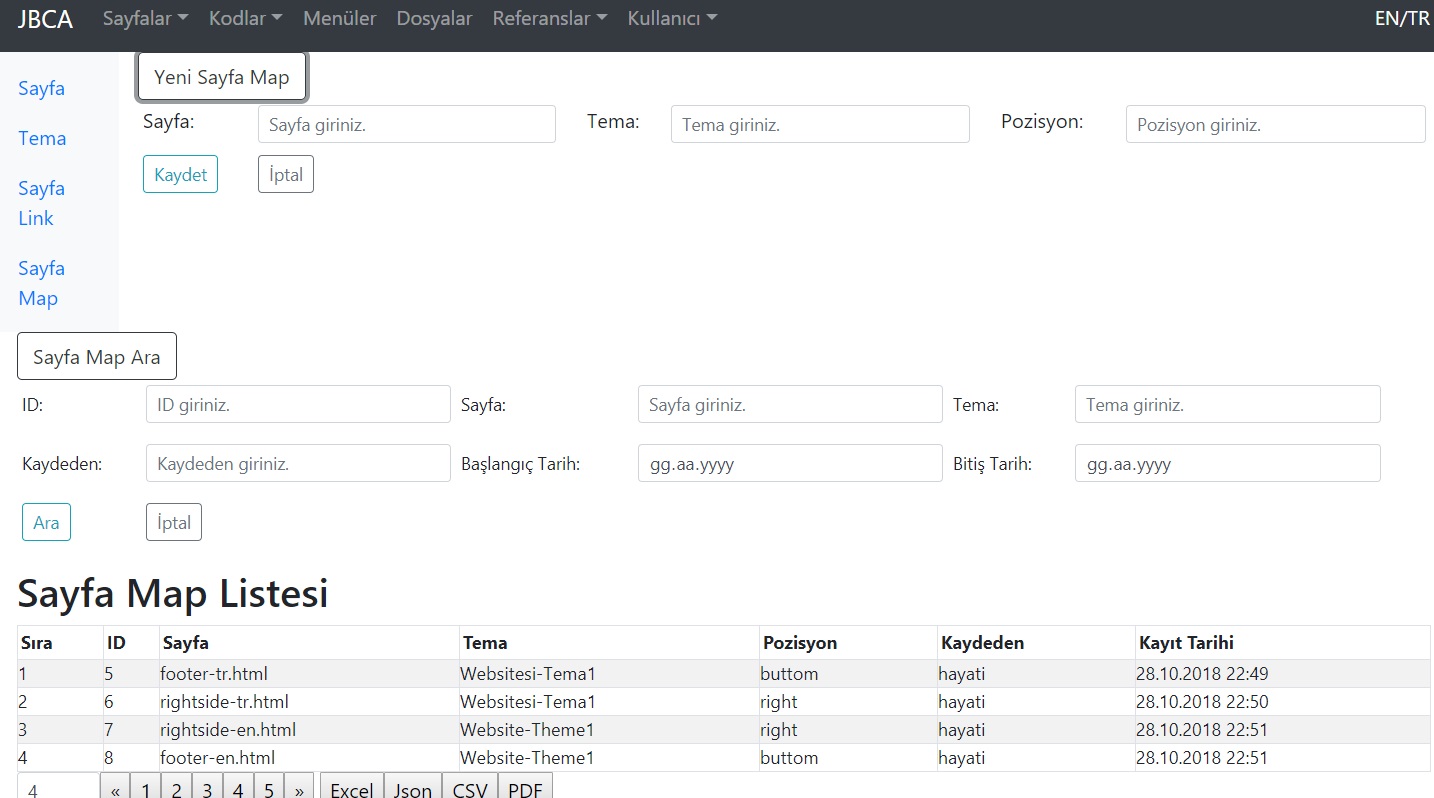
Pages connected to themes are mapped and identified within the theme configuration.
Menu Management
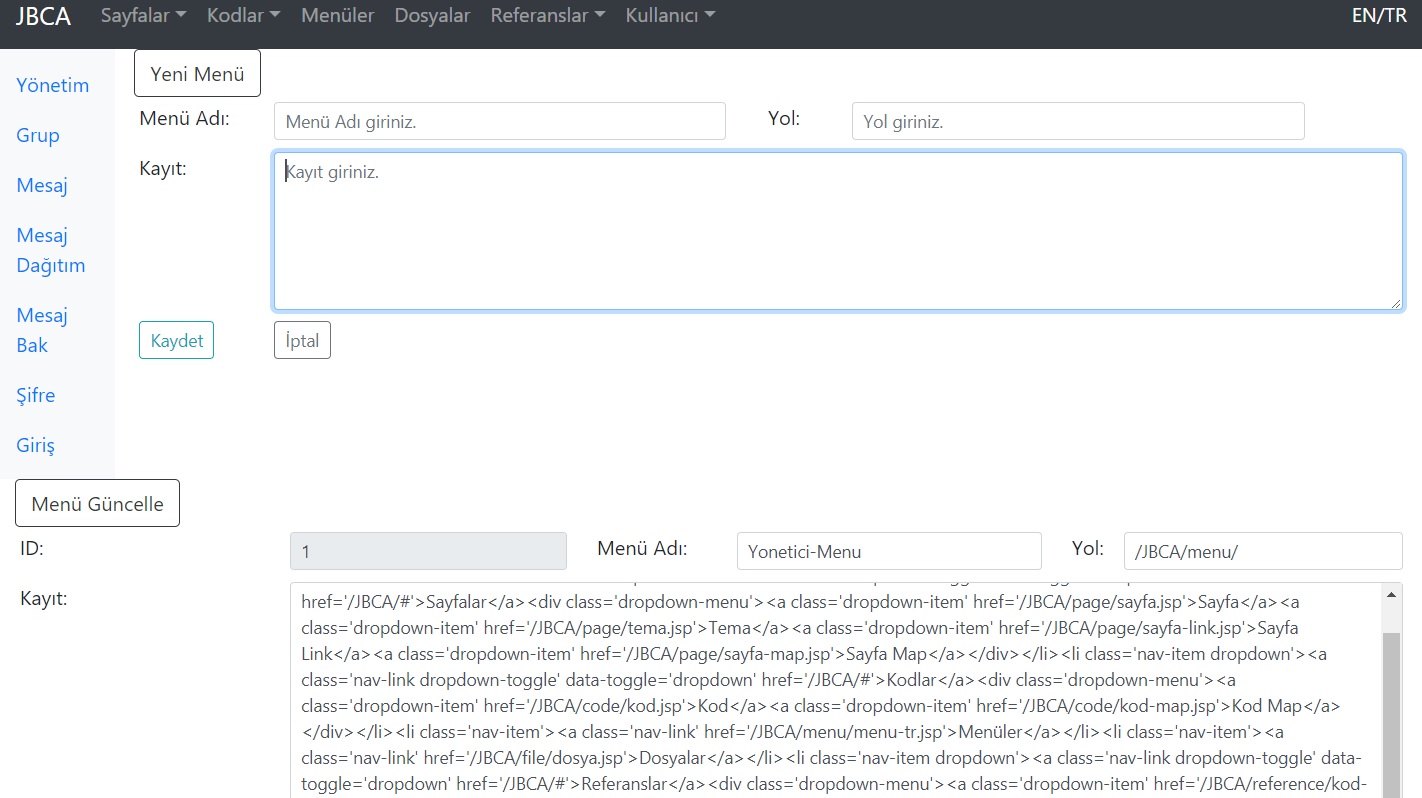
A dedicated management screen handles navigation menus. Menu content can be updated as raw HTML text, or loaded from a file upload. Menus are bound to a theme and therefore automatically applied to all pages using that theme.
CSS & JavaScript Code Management
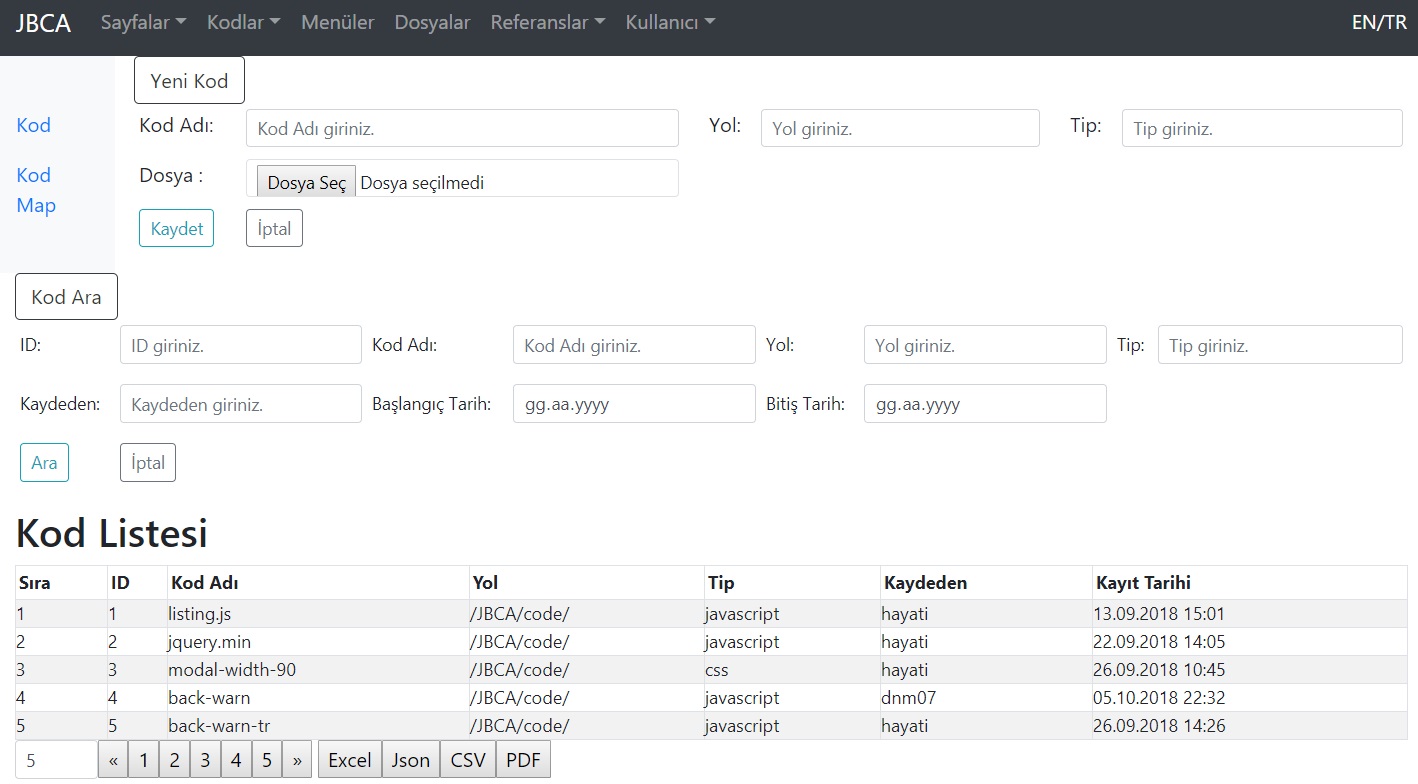
Dedicated code management screens let you store CSS stylesheets, JavaScript files and other browser-side scripts directly in the database alongside your page content.
Binary File Management
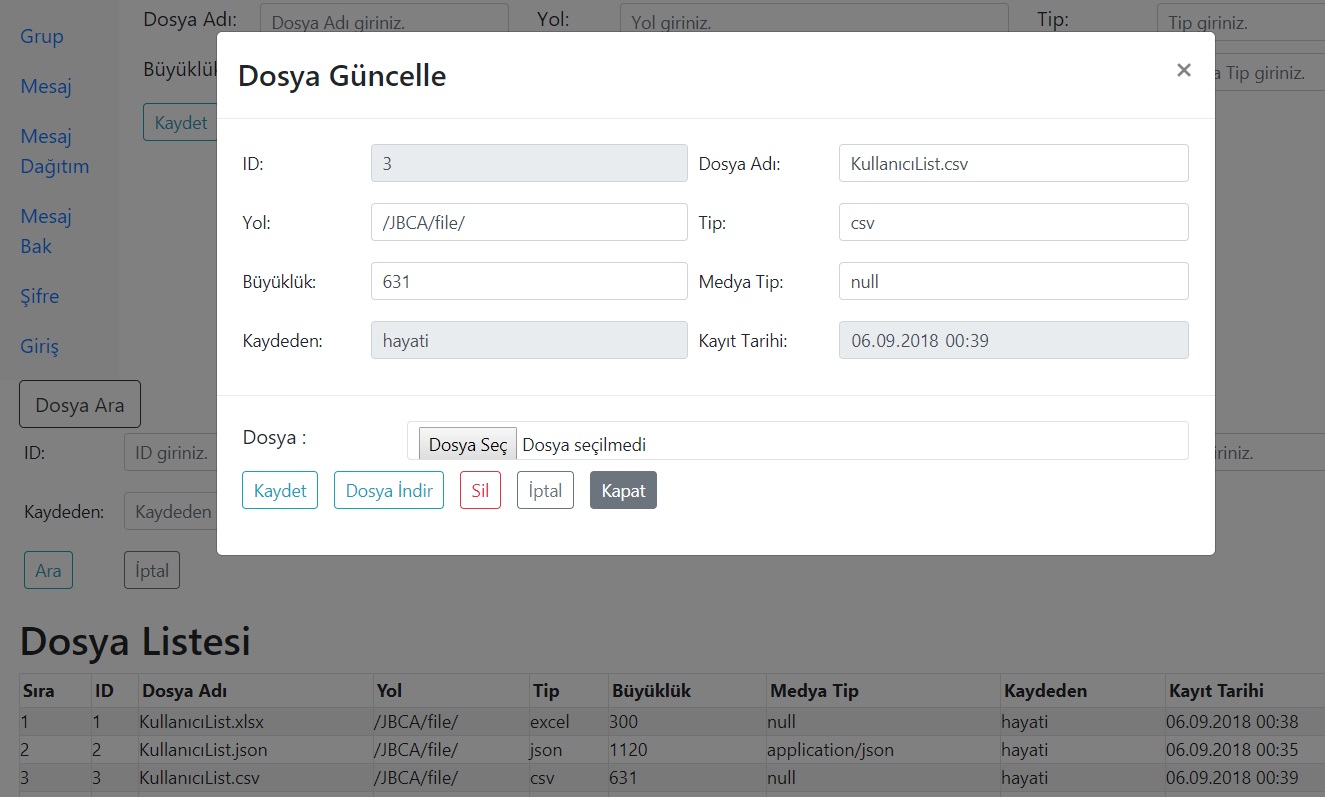
Binary files saved to the database can be retrieved, downloaded and deleted at any time, providing a complete file lifecycle management loop within the same interface.
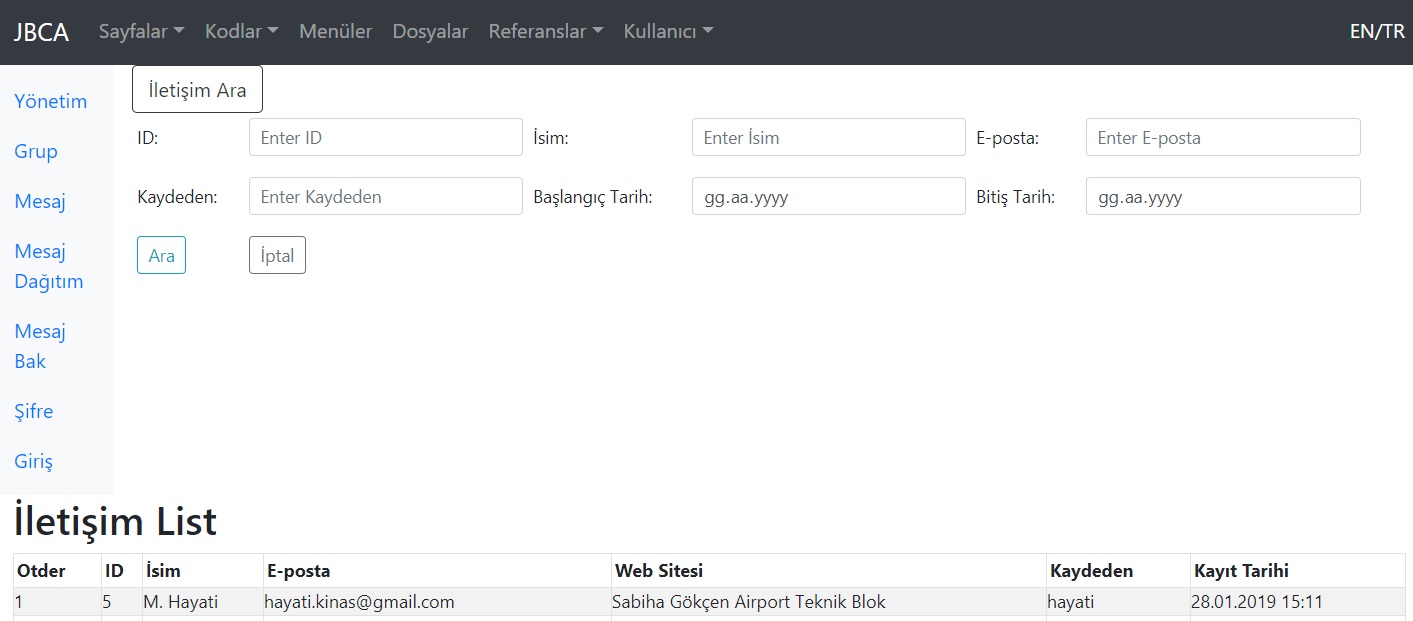
Contact Messages
The contact screen lists and displays all messages submitted through the website's contact form, keeping visitor enquiries in one accessible place.
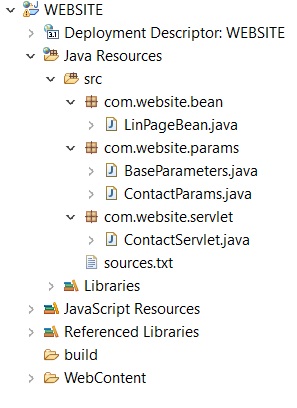
Eclipse — Project Structure
An overview of the project as it appears in the Eclipse IDE.
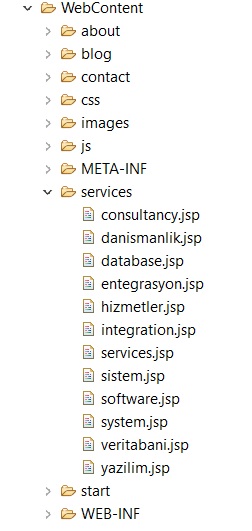
A closer look at the JSP files inside the WebContent folder.
Assembling HTML Fragments in JSP
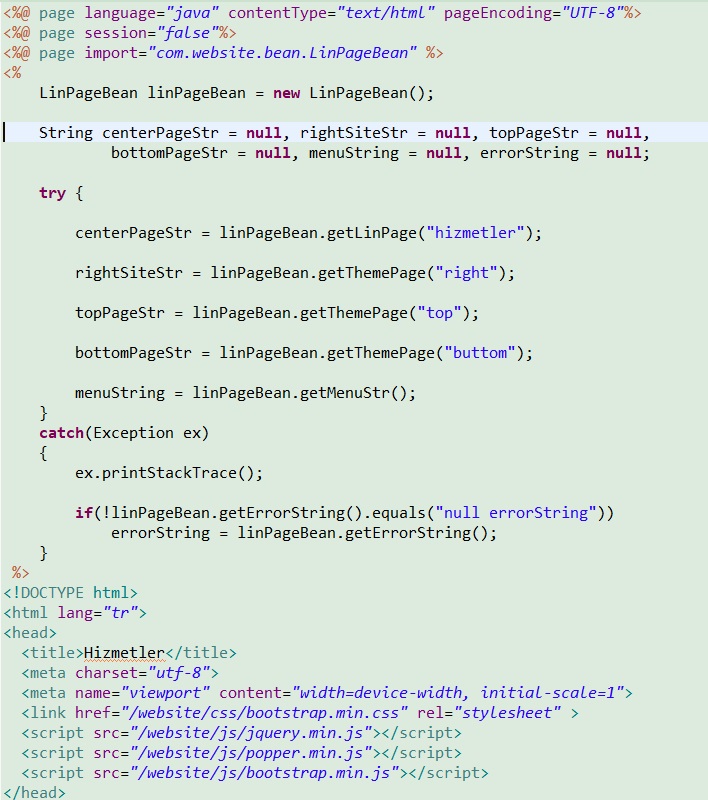
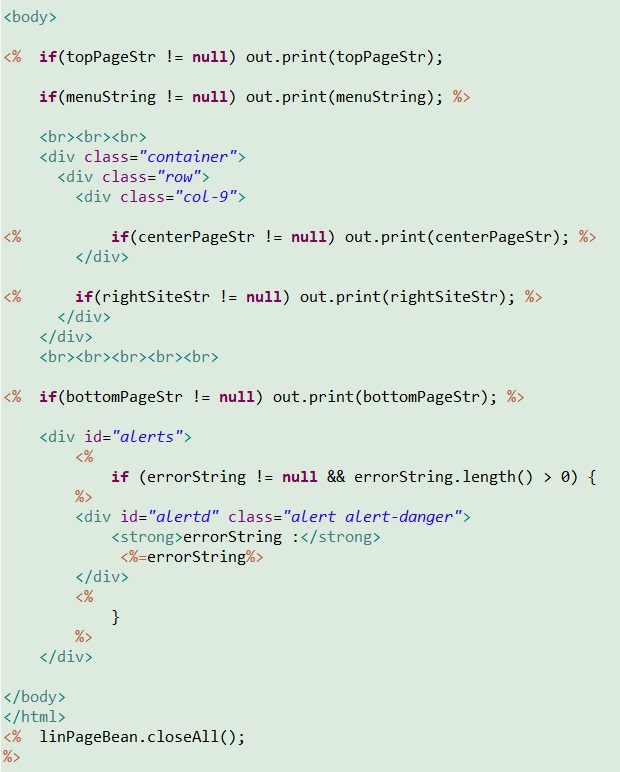
As an example, hizmetler.jsp assembles multiple HTML fragments on the server and delivers the complete, composed page to the visitor.
LinPageBean — Fetching HTML from the Database
LinPageBean is the class responsible for retrieving HTML fragments and code segments from the database for JSP page composition.
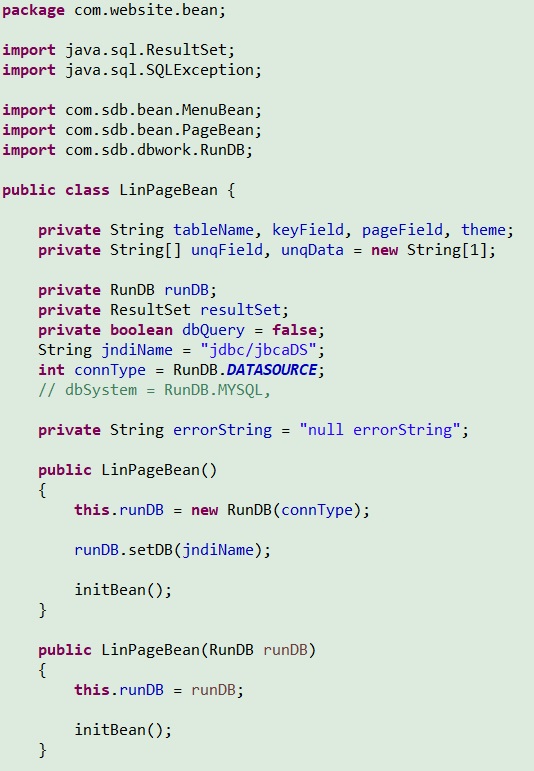
After the initial values are set, the getLinPage(String linkName) method retrieves the linked main page and its associated theme information.
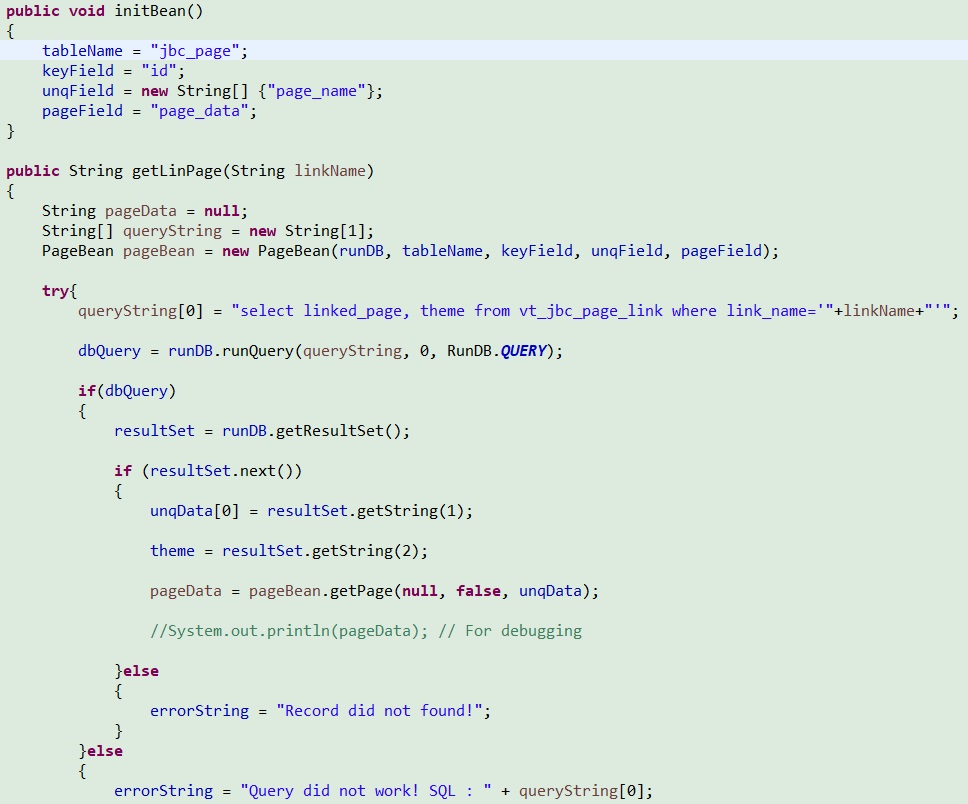
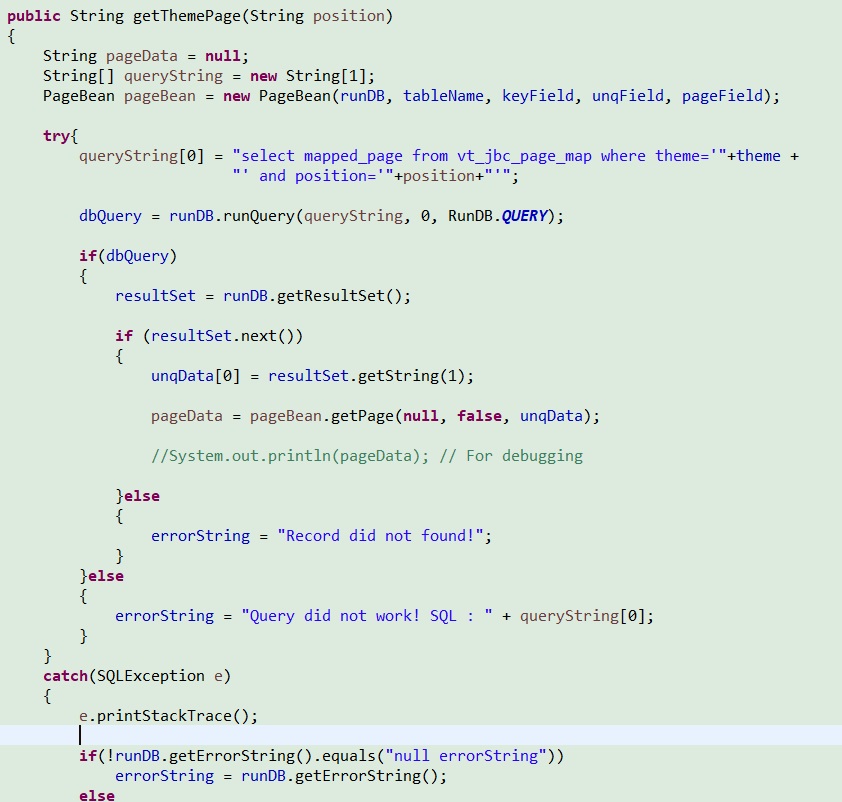
The individual HTML page sections are then fetched from the database using getThemePage(String position).
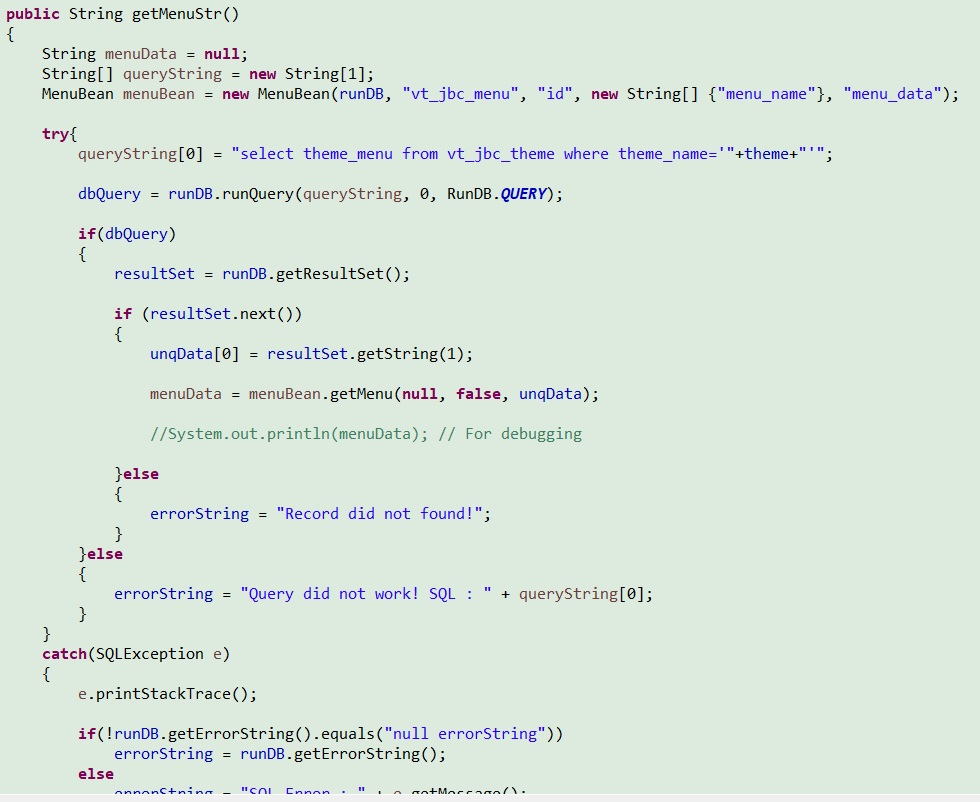
Finally, the navigation menu section is retrieved via the getMenuStr() method.